
Mastering DNS Error Fixes: Tips and Tricks for a Seamless Online Experience
The internet, a vast and intricate network, relies on a fundamental yet often overlooked technology: the Domain Name System (DNS). It’s the internet’s phonebook, translating human-readable domain names like “google.com” into machine-readable IP addresses. When DNS falters, our online experience can become a frustrating landscape of error messages and inaccessible websites. Mastering DNS error fixes is crucial for ensuring a seamless and reliable journey through the digital realm. This comprehensive guide will equip you with the knowledge and tools to navigate common DNS issues, enhance security, and optimize performance.
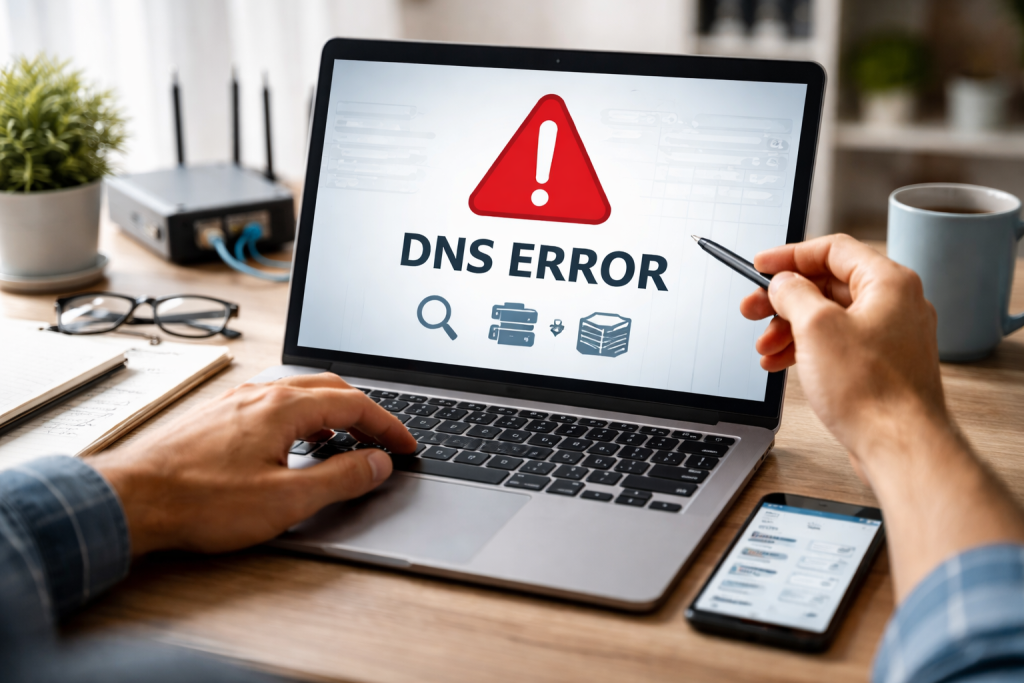
The first step to mastering DNS error fixes is to recognize and understand the symptoms of a problem. While the specific error message might vary, the underlying causes often fall into predictable categories. Familiarity with these common pitfalls will allow for quicker diagnosis and resolution.
Contents
- 0.1 The Elusive “Page Cannot Be Displayed”
- 0.2 “Server Not Found” and “DNS Probe Finished Nxdomain”
- 0.3 -LoadingSlow Loading Websites and Intermittent Connectivity
- 0.4 Verifying Your DNS Settings
- 0.5 Router DNS Settings: The Central Hub
- 0.6 Device-Specific DNS Settings
- 0.7 Testing DNS Server Reachability
- 0.8 Understanding Different DNS Server Types
- 0.9 Recognizing DNS Server Outages
- 0.10 Flushing Your DNS Cache
- 0.11 Understanding Router DNS Caching
- 0.12 The Impact of DHCP on DNS Caching
- 0.13 The Threat of DNS Spoofing
- 0.14 Recognizing and Mitigating DNS Hijacking
- 0.15 Ensuring Secure DNS Resolution
- 0.16 Choosing the Right DNS Servers
- 0.17 Reducing DNS Lookup Latency
- 0.18 The Role of DNS Prefetching
- 0.19 Understanding DNS-Based DDoS Attacks
- 0.20 Implementing Protective Measures
- 0.21 The Importance of Redundancy and Resilience
- 0.22 How DNSSEC Works
- 0.23 Benefits of Adopting DNSSEC
- 0.24 Challenges and Considerations
- 0.25 Command-Line Utilities: Your First Line of Defense
- 0.26 Online DNS Lookup Tools
- 0.27 Network Diagnostic Tools
- 0.28 Regular DNS Audits and Monitoring
- 0.29 Staying Updated with Software and Firmware
- 0.30 Documentation and Planning
- 1 FAQs
- 1.1 What are some common DNS errors, and how can they be fixed?
- 1.2 How can DNS configuration issues be troubleshot?
- 1.3 What are some best practices for DNS cache management?
- 1.4 How can DNS spoofing and hijacking be prevented?
- 1.5 What are some proactive DNS maintenance tips for a reliable online experience?
- 1.6 About the Author
The Elusive “Page Cannot Be Displayed”
This is perhaps the most frequently encountered DNS error. It signifies that your browser cannot find the IP address associated with the domain name you’ve entered. The reasons behind this are varied, ranging from simple typos to more complex network configuration problems. In many cases, it indicates that your computer or router is unable to communicate with a DNS server to resolve the requested domain.
“Server Not Found” and “DNS Probe Finished Nxdomain”
not beThese error messages point more directly to a DNS resolution failure. “Server Not Found” can occur when the DNS server itself is unreachable or unable to provide the requested information. “DNS Probe Finished Nxdomain” specifically indicates that the DNS lookup for the domain name resulted in a “non-existent domain” response from the DNS server. This suggests that the domain name itself might be misspelled, have expired, or is not registered in the DNS system.
-LoadingSlow Loading Websites and Intermittent Connectivity
Sometimes, DNS issues don’t manifest as outright errors but rather as a frustratingly slow or inconsistent online experience. Websites may take an unusually long time to load, or you might experience periods of complete inability to access certain sites followed by normal functionality. These symptoms often point to issues with DNS server responsiveness or problems with the DNS resolver on your device.
Misconfigurations within your own network or on your device are frequent culprits behind DNS errors. Understanding how DNS is set up and where things can go wrong is key to troubleshooting these problems effectively.
Verifying Your DNS Settings
The most fundamental check is to ensure your device and router are configured to use valid DNS servers. On most operating systems, these settings are managed through network adapter properties or by accessing your router’s administration interface. Ensure that you haven’t accidentally entered invalid IP addresses for your DNS servers or that your network is set to obtain DNS server addresses automatically from your ISP.
Router DNS Settings: The Central Hub
Your router acts as a central point for your home or office network’s DNS resolution. If your router’s DNS settings are incorrect, every device connected to it will inherit those problems. Accessing your router’s web-based administration panel and carefully reviewing its DNS configuration is a critical troubleshooting step. Look for options related to DNS servers, DHCP settings, and any custom DNS configurations that might have been applied.
Device-Specific DNS Settings
While routers often dictate DNS settings for the network, individual devices can sometimes be configured with custom DNS servers. This can be useful for accessing particular services or for privacy reasons. However, if these custom settings are incorrect or the chosen DNS servers are down, it will lead to localized DNS resolution failures. On Windows, this is typically found in the “Network and Internet” settings under “Change adapter options.” On macOS, it’s in “System Preferences” under “Network.”
When your device’s configuration seems sound, the problem might lie with the DNS servers themselves. Identifying and addressing issues with these servers requires a slightly different approach.
Testing DNS Server Reachability
You can test if your device can reach specific DNS servers using command-line tools. On Windows, the “ping” command can be used to check latency to a DNS server’s IP address. For a more direct DNS query test, the “nslookup” or “dig” commands are invaluable. For example, typing “nslookup google.com 8.8.8.8” will attempt to resolve google.com using Google’s public DNS server at 8.8.8.8, bypassing your configured DNS servers and helping to isolate the problem.
Understanding Different DNS Server Types
It’s important to differentiate between the types of DNS servers involved. Your resolver is the server your device directly communicates with to get IP addresses. This resolver often forwards requests to recursive servers, which then query other DNS servers in a hierarchical manner to find the ultimate answer. If your configured resolver is unresponsive, you might consider temporarily switching to a public DNS service like Google DNS (8.8.8.8 and 8.8.4.4) or Cloudflare DNS (1.1.1.1 and 1.0.0.1) to see if the problem resolves.
Recognizing DNS Server Outages
Occasionally, the DNS servers provided by your Internet Service Provider (ISP) might experience temporary outages or performance issues. While you can’t directly fix an ISP’s DNS server, you can work around the problem by switching to public DNS servers as mentioned above. This can often provide an immediate solution while your ISP works to resolve their internal issues.
DNS caching is a mechanism designed to speed up website lookups by storing frequently accessed DNS records locally. However, stale or corrupted cache entries can lead to outdated IP addresses and, consequently, DNS errors. Effective cache management is crucial for a smooth online experience.
Flushing Your DNS Cache
If you suspect your local DNS cache is causing problems, flushing it can often resolve the issue. This forces your operating system to re-query DNS servers for all domain names. On Windows, you can do this by opening Command Prompt as administrator and typing “ipconfig /flushdns.” On macOS, the command is “sudo dscacheutil -flushcache; sudo killall -HUP mDNSResponder.”
Understanding Router DNS Caching
Routers also maintain their own DNS caches. If you’re experiencing network-wide DNS issues after making changes to your network or DNS settings, flushing your router’s DNS cache might be necessary. The procedure for this varies widely between router models, so consult your router’s manual for specific instructions.
The Impact of DHCP on DNS Caching
Dynamic Host Configuration Protocol (DHCP) servers assign IP addresses and often hand out DNS server information to devices on a network. When a device renews its IP address lease, it may receive updated DNS server information, which can influence its DNS cache. Ensuring your DHCP server is functioning correctly and providing accurate DNS server settings is a foundational aspect of good DNS cache management.
The importance of DNS cannot be overstated, and unfortunately, its critical role makes it a target for malicious attacks. DNS spoofing and hijacking can redirect users to fraudulent websites, leading to data theft or malware infections. Implementing robust security measures is paramount.
The Threat of DNS Spoofing
DNS spoofing, also known as DNS cache poisoning, involves an attacker injecting falsified DNS records into a DNS resolver’s cache. This causes legitimate domain names to point to malicious IP addresses. When unsuspecting users try to access a website, they are unknowingly sent to a fake version controlled by the attacker.
Recognizing and Mitigating DNS Hijacking
DNS hijacking is a broader term that encompasses various methods of manipulating DNS resolution for malicious purposes, including spoofing. It can occur at the router level, through malware on your computer, or by compromising DNS servers themselves. Vigilance, up-to-date security software, and a strong understanding of DNS security are your best defenses.
Ensuring Secure DNS Resolution
To combat these threats, consider using DNSSEC (Domain Name System Security Extensions). DNSSEC adds a layer of authentication to DNS queries, ensuring that the DNS data you receive is genuine and hasn’t been tampered with. It cryptographically verifies the origin of DNS data, making it significantly harder for attackers to inject false information.
Beyond simply fixing errors, optimizing DNS can significantly improve your internet speed. Faster DNS lookups mean quicker access to websites, leading to a more responsive and enjoyable browsing experience.
Choosing the Right DNS Servers
Not all DNS servers are created equal. Public DNS providers like Google DNS and Cloudflare DNS are often highly optimized for speed and reliability. They have vast networks of servers strategically placed around the globe, ensuring that queries are resolved quickly regardless of your location. Experimenting with different DNS providers can reveal performance improvements.
Reducing DNS Lookup Latency
Latency, the time it takes for a DNS query to travel to the server and back, is a critical factor in DNS performance. Shorter latency means faster resolution. Selecting DNS servers geographically closer to your location can often reduce this latency. Tools that benchmark DNS server speeds can help you make informed choices.
The Role of DNS Prefetching
Modern web browsers employ a technique called DNS prefetching. This allows the browser to asynchronously resolve IP addresses for links on a web page while the page is still loading. By doing this, when you click on a link, the DNS lookup has already been performed, making the subsequent page load much faster. Ensuring this feature is enabled in your browser settings contributes to a snappier web experience.
Distributed Denial-of-Service (DDoS) attacks are designed to overwhelm a service with a flood of traffic, rendering it inaccessible. DNS infrastructure, being fundamental to internet connectivity, is a prime target for such attacks.
Understanding DNS-Based DDoS Attacks
Attackers can target DNS servers directly, flooding them with queries to disrupt their ability to respond to legitimate requests. This can have a cascading effect, making entire networks or websites unavailable. DNS amplification attacks, a common form of DDoS, leverage the recursive nature of DNS to amplify the volume of malicious traffic.
Implementing Protective Measures
Protecting against DNS-based DDoS attacks involves several strategies. Rate limiting on DNS servers can help prevent them from being overwhelmed by excessive query volumes. Implementing advanced firewall rules and intrusion detection systems can also help identify and block malicious traffic. For organizations managing their own DNS infrastructure, utilizing specialized DDoS mitigation services is essential.
The Importance of Redundancy and Resilience
A well-designed DNS infrastructure is inherently resilient. Employing multiple DNS servers, geographically distributed, ensures that if one server is compromised or goes offline, others can continue to serve DNS requests. This redundancy is a key component in weathering the storm of a DDoS attack.
As mentioned earlier, DNSSEC is a critical advancement in DNS security. Understanding its implementation and benefits is vital for anyone concerned with the integrity of their online presence.
How DNSSEC Works
DNSSEC works by digitally signing DNS records. When a DNS resolver queries for a record, it also receives a digital signature. The resolver can then verify this signature using cryptographic keys held by the domain name’s owner. If the signature is valid, the resolver can be confident that the DNS data is authentic and has not been modified.
Benefits of Adopting DNSSEC
The primary benefit of DNSSEC is enhanced trust and integrity in DNS resolution. It helps prevent DNS spoofing and other forms of DNS manipulation, ensuring that users are directed to the legitimate websites they intend to visit. For businesses, adopting DNSSEC can bolster customer confidence and protect their brand reputation.
Challenges and Considerations
While the benefits of DNSSEC are undeniable, its implementation can be complex. It requires careful management of cryptographic keys and coordination between domain registrars, DNS hosting providers, and domain owners. However, the ongoing efforts to simplify DNSSEC deployment are making it increasingly accessible.
A robust set of tools and techniques can empower you to diagnose and resolve DNS issues efficiently. Familiarity with these resources will turn you into a DNS problem-solving pro.
Command-Line Utilities: Your First Line of Defense
As previously discussed, nslookup they dig are indispensable command-line tools for querying DNS servers. They allow you to retrieve detailed information about DNS records, test name resolution, and pinpoint where a DNS lookup might be failing. Mastering their various options will unlock powerful diagnostic capabilities.
Online DNS Lookup Tools
Numerous online tools offer a user-friendly interface for performing DNS lookups from various geographic locations. These can be helpful for checking if a DNS issue is localized to your network or if it’s a broader problem affecting users worldwide. They often provide a wealth of information about DNS records, including A, MX, and NS records.
Network Diagnostic Tools
Beyond specific DNS tools, general network diagnostic utilities can provide valuable insights. Tools like traceroute traceroute (or tracert on Windows) can help map the path network traffic takes to reach a DNS server, identifying potential bottlenecks or routing issues that might be impacting DNS resolution.
The best approach to DNS errors is often to prevent them from occurring in the first place. Proactive maintenance ensures the ongoing health and reliability of your DNS setup.
Regular DNS Audits and Monitoring
Periodically auditing your DNS records and monitoring the performance of your DNS servers is crucial. Ensure that your DNS records are up-to-date, accurate, and correctly configured. Monitoring tools can alert you to spikes in DNS query volumes or increased latency, allowing you to address potential issues before they impact users.
Staying Updated with Software and Firmware
Keeping your operating system, router firmware, and any DNS server software up-to-date is essential. Software updates often include security patches and performance improvements that can prevent vulnerabilities and ensure the optimal functioning of your DNS infrastructure.
Documentation and Planning
Thorough documentation of your DNS configuration, including IP addresses of DNS servers, record types, and any custom settings, is invaluable. This documentation serves as a reference for troubleshooting and planning future changes. Having a clear understanding of your DNS architecture will make it easier to manage and maintain over time, ultimately contributing to a seamless and reliable online experience.
FAQs
What are some common DNS errors, and how can they be fixed?
Some common DNS errors include DNS server not responding, DNS server not found, and DNS probe finished no internet. These errors can be fixed by checking the DNS server settings, flushing the DNS cache, and ensuring that the DNS server is functioning properly.
How can DNS configuration issues be troubleshot?
DNS configuration issues can be troubleshooted by checking the DNS settings, ensuring that the DNS server is reachable, and verifying that the DNS records are correctly configured. Additionally, using tools such as nslookup and dig can help diagnose and resolve DNS configuration issues.
What are some best practices for DNS cache management?
Some best practices for DNS cache management include setting appropriate TTL (Time to Live) values for DNS records, regularly clearing the DNS cache to remove outdated entries, and implementing DNSSEC to ensure the integrity of DNS data.
How can DNS spoofing and hijacking be prevented?
DNS spoofing and hijacking can be prevented by implementing DNS security measures such as DNSSEC, using DNS filtering services to block malicious domains, and regularly monitoring DNS traffic for any signs of unauthorized changes.
What are some proactive DNS maintenance tips for a reliable online experience?
Some proactive DNS maintenance tips include regularly monitoring DNS performance, staying updated with DNS security best practices, implementing DNS redundancy for high availability, and conducting regular DNS audits to identify and address any potential issues.

About the Author
Maya Ali is the founder of ByteSolving with experience in technology and digital solutions. His mission is to make technology easier to understand and help people solve everyday tech problems in a simple and practical way.