
Double the Security: How to Easily Enable Two Factor Authentication on All Your Accounts
In today’s increasingly digital world, the security of our online accounts is paramount. From personal photos and sensitive financial data to professional communications and social connections, our digital lives are woven together by countless login credentials. While strong passwords are the first line of defense, they are far from impenetrable. The growing sophistication of cyber threats, including phishing attacks, data breaches, and credential stuffing, means that a single compromised password can have devastating consequences. This is where two-factor authentication (2FA), also known as multi-factor authentication (MFA), emerges as an indispensable layer of security. By requiring users to provide two distinct forms of identification, 2FA significantly reduces the risk of unauthorized access, offering a robust shield against account takeovers.
Contents
- 0.1 Understanding Two Factor Authentication
- 0.2 The Importance of Two Factor Authentication
- 0.3 How to Enable Two Factor Authentication on Various Accounts
- 0.4 Two Factor Authentication Apps and Services
- 0.5 Tips for Managing Two Factor Authentication Across Multiple Accounts
- 0.6 Common Misconceptions About Two Factor Authentication
- 0.7 Two Factor Authentication Best Practices
- 0.8 Two Factor Authentication for Social Media Accounts
- 0.9 Two Factor Authentication for Financial and Banking Accounts
- 0.10 The Future of Two Factor Authentication: What to Expect
- 1 FAQs
- 1.1 What is two factor authentication (2FA) and why is it important?
- 1.2 How can I enable two factor authentication on my various accounts?
- 1.3 What are some common misconceptions about two factor authentication?
- 1.4 What are some best practices for managing two factor authentication across multiple accounts?
- 1.5 What can we expect for the future of two factor authentication?
- 1.6 About the Author
Understanding Two Factor Authentication
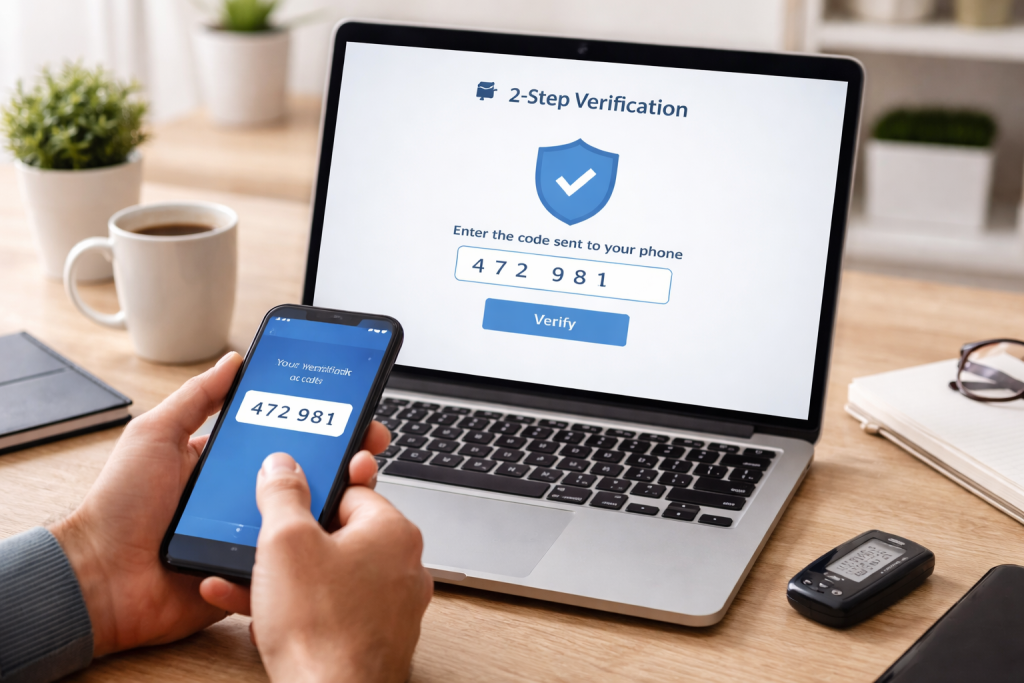
At its core, two-factor authentication is a security process that requires two different authentication factors to verify a user’s identity. This is a significant step up from traditional single-factor authentication, which relies solely on a password. These factors generally fall into three categories: something you know (like a password or PIN), something you have (like a smartphone or security token), and something you are (like a fingerprint or facial scan). Most commonly, 2FA implementations combine a password with a second factor from the “something you have” category, typically a code generated by an app or sent via SMS. This layered approach makes it substantially harder for attackers to gain access; even if they manage to steal your password, they’ll still need physical possession of your second authentication device to proceed.
The Layers of Authentication
The strength of 2FA lies in its combinatorial nature. A password is a static secret, something you know. A one-time code generated by an authenticator app, however, is dynamic and time-sensitive, representing something you have access to. Similarly, a physical security key is a tangible item that proves possession. The requirement of two different types of proof dramatically increases the complexity for an unauthorized individual. It’s not just about remembering a phrase; it’s about demonstrating possession of a device or a unique identifier that is constantly changing or inherently personal. This distinction is crucial because current threats often involve widespread password leaks, making static credentials vulnerable.
The Importance of Two Factor Authentication
The imperative for implementing two-factor authentication cannot be overstated. Cybercriminals are constantly evolving their tactics, and the sheer volume of personal and financial information stored online makes us attractive targets. Data breaches are becoming alarmingly common, exposing millions of usernames and passwords. Without 2FA, an attacker who obtains just one of your credentials can potentially access multiple accounts, especially if you reuse passwords across different platforms. This can lead to identity theft, financial fraud, reputational damage, and the loss of valuable personal data. For businesses, a single compromised account can lead to system-wide breaches, impacting operations and customer trust.
Mitigating the Risk of Data Breaches
When a company experiences a data breach, the information compromised often includes usernames and passwords. If you have enabled 2FA on your accounts with that service, even if your password was part of the leaked data, an attacker would still be blocked from accessing your account without your secondary authentication factor. This significantly limits the damage that can be done by such breaches, providing a crucial safety net for individual users and a valuable form of protection for organizations. It transforms a potential catastrophic event into a mere inconvenience, allowing for prompt password changes and account security checks without immediate compromise.
Protecting Against Phishing and Social Engineering
Phishing attacks, where criminals attempt to trick you into revealing your login credentials, are rampant. They often impersonate legitimate services and urge you to click on malicious links or enter your information on fake websites. Even if a phishing attempt is successful and an attacker obtains your username and password, the second factor of authentication typically cannot be replicated through these methods. This means that even if you fall victim to a phishing scam, your account remains secure, preventing the attacker from exploiting the compromised credentials. This layer of defense is particularly vital as social engineering tactics become increasingly sophisticated and personalized, making them harder to detect.
How to Enable Two Factor Authentication on Various Accounts
The good news is that enabling 2FA is becoming increasingly straightforward, with most major online services offering it as a standard security feature. The process generally involves navigating to your account security settings and looking for an option related to “two-factor authentication,” “two-step verification,” or “multi-factor authentication.” Once enabled, you’ll typically be walked through the setup process, which will vary depending on the method you choose.
Social Media Accounts
Platforms like Facebook, Instagram, X (formerly Twitter), and LinkedIn all offer robust 2FA options. On these platforms, you’ll usually find the 2FA settings within the “Security and Privacy” or “Account Settings” section. You might be prompted to choose between receiving codes via SMS to your registered phone number or using an authenticator app. For enhanced security, particularly against SIM-swapping attacks (where an attacker takes over your phone number), using an authenticator app is generally recommended.
Financial and Banking Accounts
Given the sensitive nature of financial information, 2FA is almost universally offered and often mandated by banks and financial institutions. When you log into your online banking portal or use their mobile app, you’ll likely encounter 2FA prompts. This frequently involves receiving a one-time code via SMS, email, or push notification to a registered device. Some institutions may also offer hardware tokens or biometric authentication for an added layer of security. It’s imperative to ensure that 2FA is active on all your banking and investment accounts to safeguard your finances.
Email Providers
Your email account is often the gateway to many other online services, as it’s frequently used for password resets. Therefore, securing your primary email account with 2FA is paramount. Major providers like Gmail, Outlook, and Yahoo offer comprehensive 2FA capabilities. Setting this up often involves associating your account with a phone number for SMS codes or configuring an authenticator app. Prioritizing your primary email account for 2FA provides a foundational level of security for your entire digital identity.
Cloud Storage and Productivity Suites
Services like Google Drive, Dropbox, Microsoft OneDrive, and platforms like Microsoft 365 and Google Workspace also provide 2FThese services often contain a wealth of personal and professional documents, making their security crucial. The setup process is typically similar to other online accounts, allowing you to choose your preferred authentication method. Ensuring 2FA is active on these platforms protects your data from unauthorized access and potential misuse.
Two Factor Authentication Apps and Services
While SMS-based 2FA is convenient, it has certain vulnerabilities. Authenticator apps and hardware security keys offer more secure alternatives.
Authenticator Apps
Authenticator apps, such as Google Authenticator, Authy, and Microsoft Authenticator, generate time-based one-time passcodes (TOTP) that refresh every 30-60 seconds. These codes are independent of your phone number, making them more resistant to SIM-swapping attacks. To use them, you link the app to your online account by scanning a QR code or entering a secret key. When you log in, you’ll be prompted to enter the current code displayed in the app. Some apps offer cloud backup features, which are essential for recovering your codes if you lose or replace your device.
Hardware Security Keys
Hardware security keys, like those from YubiKey or Google’s Titan Security Key, are physical devices that plug into your computer’s USB port or connect via NFThey employ cryptographic protocols to authenticate your identity. Often, they require a physical touch to activate. These are considered the most secure form of 2FA as they are resistant to phishing, malware, and remote attacks. When prompted for authentication, you’ll insert or tap your security key and confirm your identity.
Tips for Managing Two Factor Authentication Across Multiple Accounts
As you enable 2FA on numerous accounts, managing these different methods can become a challenge. Here are some strategies to streamline the process:
Consolidate with an Authenticator App
Whenever possible, opt for using a single authenticator app across all your supported accounts. This centralizes the generation of your one-time codes in one place, making it easier to access them during login. Ensure the app you choose has robust backup and sync features to prevent data loss in case of device failure or replacement. This approach significantly reduces the mental overhead of tracking multiple verification codes from various sources.
Create a Backup Plan
Life happens, and devices can be lost, stolen, or damaged. It’s crucial to have a backup plan for your 2FThis might include having recovery codes stored securely offline, designating trusted individuals to help with account recovery, or ensuring your authenticator app has cloud backup enabled. For SMS-based 2FA, make sure your phone number is up-to-date with all your service providers. Losing access to your second factor can lock you out of your accounts, so proactive planning is essential.
Regularly Review and Update
Periodically review your security settings for all your accounts. Ensure that the phone numbers and email addresses associated with your 2FA are current. If you change an authenticator app or a hardware security key, remember to update your accounts accordingly. Staying vigilant about your 2FA setup is an ongoing process that contributes to sustained security.
Common Misconceptions About Two Factor Authentication
Despite its widespread adoption, some persistent myths surround 2FDispelling these is crucial for encouraging its comprehensive use.
“It’s too complicated to use.”
While there’s a slight initial learning curve, enabling and using 2FA is generally quite simple. Most services guide you through the process with clear instructions. Once set up, it often becomes second nature, with a quick tap or code entry becoming a routine part of logging in. The perceived complexity often fades quickly with practice.
“It’s not necessary if I have a strong password.”
A strong password is a vital component of online security, but it’s only one piece of the puzzle. As mentioned, data breaches are common, and even the strongest password can be compromised. 2FA acts as a critical second layer of defense that even a strong password alone cannot provide, significantly reducing the attack surface.
“All 2FA methods are equally secure.”
This is not true. While SMS-based 2FA is better than no 2FA, it is susceptible to SIM-swapping attacks. Authenticator apps are more secure, and hardware security keys offer the highest level of protection against a wide range of threats. Understanding these differences can help you choose the most appropriate 2FA method for your needs.
Two Factor Authentication Best Practices
To maximize the effectiveness of 2FA, adhering to certain best practices is recommended.
Enable 2FA on All Critical Accounts First
Prioritize enabling 2FA on your most sensitive accounts, such as your primary email, banking, and social media profiles. These are often the most targeted and can lead to the most significant damage if compromised. Once these are secured, systematically move on to less critical accounts.
Understand the Different 2FA Methods
Familiarize yourself with the various 2FA methods available and their respective security strengths. For accounts containing highly sensitive information, consider using hardware security keys or well-configured authenticator apps. Be aware of the limitations of SMS-based 2FA and its susceptibility to certain types of attacks.
Keep Your Devices and Software Updated
Ensure that your smartphones, computers, and authenticator apps are regularly updated. Software updates often include security patches that protect against newly discovered vulnerabilities, which can be exploited by attackers to bypass security measures, including 2FA.
Two Factor Authentication for Social Media Accounts
Social media platforms are rich repositories of personal information, and their compromise can lead to significant reputational damage and identity theft. Enabling 2FA on these accounts is a critical step. For instance, if your social media account is used to spread misinformation or private messages are sent from it, the consequences can be far-reaching. 2FA acts as a crucial barrier, preventing malicious actors from hijacking your online persona.
Two Factor Authentication for Financial and Banking Accounts
The stakes are exceptionally high when it comes to financial and banking accounts. Unauthorized access can result in direct financial loss, identity theft, and extensive damage to credit scores. Many financial institutions offer mobile banking apps that allow for push notifications as a form of 2FThis provides a convenient yet secure way to approve login attempts or transactions, offering immediate confirmation of legitimate activity and an instant alert to potential fraud. It is vital to assume that any financial account not protected by 2FA is at a higher risk.
The Future of Two Factor Authentication: What to Expect
The landscape of authentication is continually evolving. We can anticipate several advancements in 2FA and broader authentication strategies. Passwordless authentication, where passwords are entirely eliminated, is gaining traction. This often involves using biometrics, FIDO-certified hardware keys, or passkeys, which are designed to be more secure and user-friendly than traditional passwords, while still leveraging the principles of multi-factor authentication where necessary. Furthermore, we may see more intelligent and adaptive authentication systems that analyze user behavior and context to determine the level of security required for each login, dynamically adjusting the verification steps to balance security with convenience. The ongoing innovation in this space promises a more secure and seamless digital experience.
FAQs
What is two factor authentication (2FA) and why is it important?
Two factor authentication (2FA) is a security process that requires two methods of verification in order to access an account. This typically involves something the user knows (like a password) and something the user has (like a mobile device). 2FA is important because it adds an extra layer of security, making it much harder for unauthorized users to access your accounts, even if they have your password.
How can I enable two factor authentication on my various accounts?
To enable 2FA on your accounts, you can typically go to the security or privacy settings within the account and look for an option to enable two factor authentication. From there, you may be prompted to enter your phone number or use an authentication app to complete the setup process.
What are some common misconceptions about two factor authentication?
One common misconception about 2FA is that it is a hassle to set up and use. In reality, many accounts make it easy to enable 2FA, and the extra security it provides is well worth the minimal effort. Another misconception is that 2FA is only necessary for sensitive accounts, but in reality, it’s a good practice to enable 2FA on all of your accounts for maximum security.
What are some best practices for managing two factor authentication across multiple accounts?
Some best practices for managing 2FA across multiple accounts include using a password manager to keep track of your login credentials and 2FA codes, using a reputable authentication app for generating 2FA codes, and regularly reviewing and updating your 2FA settings for each account.
What can we expect for the future of two factor authentication?
In the future, we can expect to see continued advancements in 2FA technology, making it even more secure and user-friendly. This may include the integration of biometric authentication methods, improved interoperability between different 2FA systems, and increased adoption of 2FA across a wide range of industries and applications.

About the Author
Maya Ali is the founder of ByteSolving with experience in technology and digital solutions. His mission is to make technology easier to understand and help people solve everyday tech problems in a simple and practical way.