
Say Goodbye to Frustrating Phone Restarts with These Easy Fixes
The dreaded forced restart of your smartphone can be a jarring experience, abruptly interrupting your workflow, conversations, or entertainment. These unexpected power cycles, often happening without warning, can leave you frustrated, especially when you’re in the middle of something important. Fortunately, many common causes for these involuntary resets can be addressed with straightforward solutions. This comprehensive guide will equip you with the knowledge and tools to overcome these frustrating phone restarts and reclaim a seamless mobile experience.
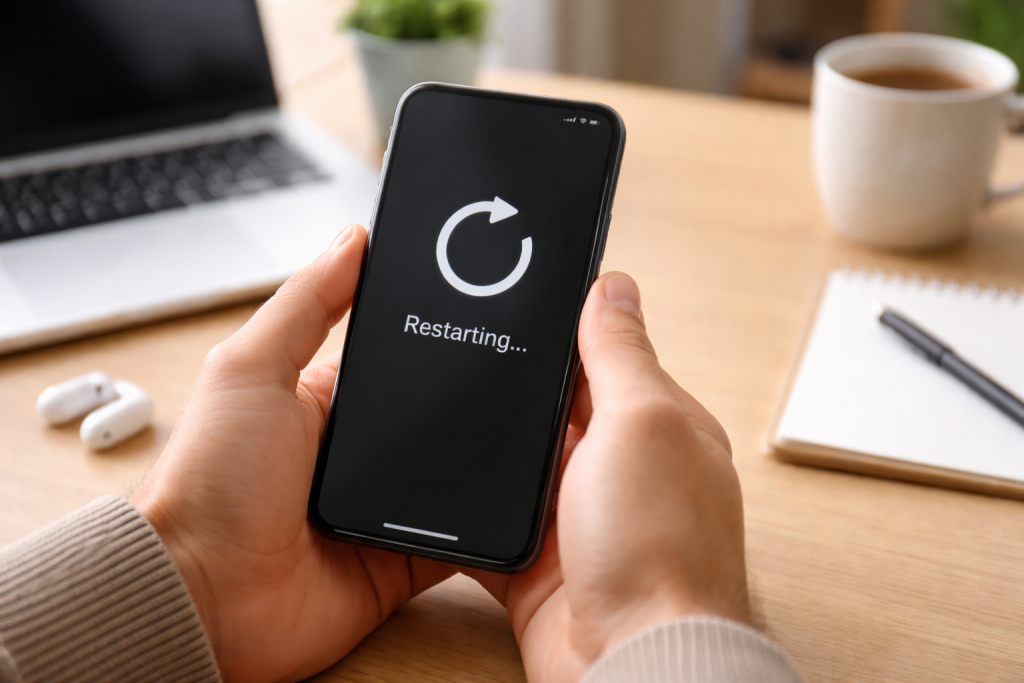
Before diving into solutions, it’s crucial to understand why your phone might be spontaneously rebooting. These issues generally fall into two broad categories: software-related problems and hardware malfunctions. Identifying the root cause is the first step towards an effective resolution.
Contents
- 0.1 Software Glitches and Conflicting Apps
- 0.2 Operating System Bugs and Corruptions
- 0.3 Overheating
- 0.4 Low Storage Space
- 0.5 Malware and Viruses
- 0.6 Force Restart Your Phone
- 0.7 Close Unused Apps and Clear Background Processes
- 0.8 Free Up Storage Space
- 0.9 Identify Recently Installed or Updated Apps
- 0.10 Check for Software Updates
- 0.11 Examine App Usage and Battery Consumption
- 0.12 Investigate Overheating Signs
- 0.13 The Importance of Regular Software Updates
- 0.14 Manage Your Apps Wisely
- 0.15 Maintain Sufficient Storage Space
- 0.16 Practice Safe Browsing and Downloading Habits
- 0.17 Battery Health and Degradation
- 0.18 Loose Internal Connections or Physical Damage
- 0.19 Faulty Components
- 0.20 Running Hardware Self-Tests
- 0.21 Checking System Logs for Error Codes
- 0.22 Performing a Factory Data Reset
- 0.23 Differentiating Between a Soft and Hard Reset
- 0.24 When to Contact Manufacturer Support
- 0.25 Visiting an Authorized Repair Center
- 1 FAQs
- 1.1 1. What are the common causes of phone restarts?
- 1.2 2. What are some quick and easy solutions for phone restart issues?
- 1.3 3. How can I troubleshoot phone restart problems on my own?
- 1.4 4. What are some tips for preventing phone restarts?
- 1.5 5. When should I seek professional help for persistent phone restart issues?
- 1.6 About the Author
Software Glitches and Conflicting Apps
The intricate software that powers our smartphones is a complex ecosystem, and sometimes, things can go awry. Apps that are poorly coded, incompatible with your operating system, or experiencing their own internal errors can trigger system instability, leading to a restart. This is particularly common after installing new applications or updating existing ones. When multiple apps try to access system resources simultaneously or when a rogue application consumes excessive memory or processing power, the phone’s operating system might initiate a restart to recover from the unrecoverable state.
Operating System Bugs and Corruptions
Just like any other complex software, operating systems can have bugs. These might be minor glitches that cause occasional hiccups or more significant issues that lead to system-wide instability and restarts. Over time, critical system files can become corrupted due to various reasons, including improper shutdowns, power surges, or even malware, further contributing to the problem. These corrupted files can prevent the phone from functioning correctly, forcing it to reboot.
Overheating
Modern smartphones are powerful devices, and maintaining optimal operating temperatures is crucial. When your phone is subjected to strenuous tasks like gaming, heavy multitasking, or prolonged video recording, its processor can generate significant heat. If the phone’s thermal management system isn’t efficient enough, or if external factors like direct sunlight or being placed on a soft surface impede airflow, the device can overheat. To protect its internal components from permanent damage, the phone will often trigger an automatic shutdown or restart.
Low Storage Space
Insufficient storage space on your smartphone can have a surprisingly wide-ranging impact on its performance. When your internal storage is nearly full, the operating system struggles to perform essential functions like temporarily storing data, creating system logs, or downloading and installing updates. This lack of space can lead to app crashes, unresponsiveness, and, in severe cases, system instability that results in unexpected restarts.
Malware and Viruses
While less common on iOS devices compared to Android due to stricter app store controls, malware can still find its way onto smartphones. Malicious software can interfere with system processes, consume excessive resources, and actively try to disrupt your phone’s operation, often leading to unpredictable behavior, including frequent restarts.
Once you have a general understanding of potential causes, you can begin troubleshooting. Many common restart problems can be resolved with simple, non-invasive steps.
Force Restart Your Phone
Sometimes, a software glitch is just a temporary hiccup that a simple reboot can clear. A force restart, which is different from a regular restart, essentially cuts power to the system and forces a completely fresh start. The method for performing a force restart varies slightly between phone models and manufacturers, but it typically involves holding down a combination of buttons (like the power and volume down buttons) for an extended period until the screen goes black and the device reboots. This is often the first and easiest step to try when your phone becomes unresponsive or starts restarting unexpectedly.
Close Unused Apps and Clear Background Processes
As discussed earlier, poorly managed background processes or resource-hungry apps can contribute to restarts. Even if you’ve closed an app, it might still be running in the background, consuming processing power and memory. Regularly closing applications that you’re not actively using can free up these resources, improving overall system stability. Most operating systems provide a way to view and close running applications from a recent apps menu.
Free Up Storage Space
If you suspect low storage is the culprit, it’s time to declutter your digital life. Delete unnecessary photos, videos, and downloaded files. Uninstall apps you no longer use. Many phones offer built-in tools to help you identify which apps and files are consuming the most space, making it easier to manage your storage. Moving files to cloud storage or an external drive can also be a viable option.
When the quick fixes don’t resolve the issue, you’ll need to employ more in-depth troubleshooting methods to pinpoint the exact cause. This involves systematically ruling out possibilities.
Identify Recently Installed or Updated Apps
If your phone started restarting after installing a new app or updating an existing one, that app is a prime suspect. Try uninstalling the recently added or updated application to see if the problem disappears. If it does, you’ve likely found your culprit. You can then try reinstalling the app, ensuring you have the latest version, or seek out an alternative if the issue persists. It’s also a good practice to review app permissions and ensure they are necessary and appropriate.
Check for Software Updates
Software updates often contain crucial bug fixes and performance enhancements that can resolve underlying issues causing instability. Ensure your phone’s operating system and all installed applications are up-to-date. Many devices will notify you when updates are available, but you can also manually check in your phone’s settings menu. Neglecting software updates can leave your device vulnerable to known bugs that have already been fixed.
Examine App Usage and Battery Consumption
Your phone’s battery settings can provide valuable insights into which apps are consuming the most resources. If a particular app is consistently showing high battery usage and your phone starts restarting after using it, it could be a sign of a power-hungry or poorly optimized application. This information can help you identify problematic apps that might not be causing direct crashes but are indirectly contributing to system strain that leads to restarts.
Investigate Overheating Signs
If your phone feels unusually hot to the touch, especially when it restarts, overheating is a strong possibility. Avoid using your phone for demanding tasks in hot environments or direct sunlight. Ensure its ventilation isn’t blocked. If you’re regularly encountering overheating issues, consider using power-saving modes or reducing the intensity of your tasks. If the overheating occurs even during light usage, it could indicate a more serious internal hardware problem.
Proactive measures are often the best defense against unexpected phone restarts. By adopting good mobile habits, you can significantly reduce the likelihood of encountering these disruptions.
The Importance of Regular Software Updates
As mentioned earlier, software updates are critical. They are not just about new features; they are a vital part of your device’s security and stability. Manufacturers regularly release patches to address bugs, security vulnerabilities, and performance issues that can cause instability. Make it a habit to check for and install updates as soon as they become available. Enabling automatic updates is a convenient way to ensure you’re always running the latest, most stable version of your operating system and apps. This proactive approach can prevent many common software-related restart issues before they even manifest.
Manage Your Apps Wisely
Be judicious about the apps you install. Download apps only from trusted sources like official app stores. Before installing, read reviews and check the app’s permissions. If an app requests excessive or unusual permissions, it’s a red flag. Regularly uninstall apps you no longer use, as they can still consume resources in the background and potentially cause conflicts.
Maintain Sufficient Storage Space
Continuously monitor your phone’s storage. Aim to keep at least 10-15% of your internal storage free. This buffer allows the operating system and apps to function smoothly without encountering performance bottlenecks. Regularly review photos, videos, and downloads, and use cloud storage solutions to offload data.
Practice Safe Browsing and Downloading Habits
Be cautious about clicking on suspicious links or downloading files from untrusted websites. These can be avenues for malware that can disrupt your phone’s operation. Use mobile security software if you’re concerned about viruses, especially on Android devices.
While many restart problems stem from software, sometimes the underlying cause is a physical issue with the phone’s components. Recognizing these can guide your troubleshooting.
Battery Health and Degradation
The battery is a critical component for any mobile device. Over time, batteries degrade, losing their capacity to hold a charge and provide consistent power. A failing battery can cause erratic behavior, including sudden shutdowns and restarts, especially when the device demands more power. If your phone is several years old and you’re experiencing frequent restarts, especially when the battery level is moderate, a worn-out battery might be the culprit.
Loose Internal Connections or Physical Damage
While less common for users to directly address, internal components can become loose due to bumps or drops. This could affect critical connections that power the device. Similarly, more severe physical damage from drops or water exposure can lead to component failure, triggering restarts. These types of issues often require professional diagnosis.
Faulty Components
In rare cases, a specific internal component, such as the motherboard or a sensor, might be manufacturing-defective or fail over time. This can lead to unpredictable behavior, including system instability and restarts. These are typically more serious issues that are difficult to diagnose without specialized equipment.
Many smartphone manufacturers equip their devices with built-in diagnostic tools designed to help users identify hardware and software issues. These tools can be invaluable in diagnosing the root cause of persistent restart problems.
Running Hardware Self-Tests
Your phone’s diagnostic suite often includes self-test functions for various hardware components like the display, speakers, sensors, and even the battery. Running these tests can help determine if a specific piece of hardware is malfunctioning. The process for accessing these tools varies by manufacturer, but they are typically found within the “About phone” section of the settings or in a dedicated “Diagnostics” or “Support” app.
Checking System Logs for Error Codes
Advanced users can sometimes access system logs that record various events and errors occurring on the device. These logs may contain specific error codes or messages that, when researched, can provide clues about the underlying cause of the restarts. Accessing and interpreting these logs can be complex and may require connecting the phone to a computer.
When other troubleshooting steps fail, a factory reset can often resolve persistent software-related restart issues. This process restores your phone to its original factory settings, effectively wiping all your data and installed applications and starting fresh.
Performing a Factory Data Reset
A factory data reset is a powerful tool, but it’s crucial to understand that it will erase all personal data from your device, including photos, videos, contacts, apps, and settings. Therefore, it is absolutely imperative to back up all your important data before proceeding. You can typically perform a factory reset from the “System” or “General Management” section of your phone’s settings. Look for an option like “Erase all data (factory reset)”. The device will then guide you through the process, usually requiring you to confirm your decision.
Differentiating Between a Soft and Hard Reset
It’s important to distinguish between a soft reset (a regular restart or force restart) and a hard reset (a factory data reset). A soft reset is a quick reboot that doesn’t erase data, while a hard reset is a drastic measure that wipes the device clean. Ensure you are performing the correct type of reset for your situation.
If you’ve tried all the troubleshooting steps, including a factory reset, and your phone continues to restart unexpectedly, it’s likely that you’re dealing with a hardware issue that requires professional attention.
When to Contact Manufacturer Support
If your phone is still under warranty, contacting the manufacturer’s customer support is your best course of action. They can guide you through advanced troubleshooting steps, arrange for repairs, or provide a replacement device if necessary. Be prepared to provide them with details about the problem, including when it started and what troubleshooting steps you’ve already taken.
Visiting an Authorized Repair Center
For out-of-warranty devices, an authorized repair center can diagnose and fix hardware-related problems. They have the specialized tools and expertise to identify and replace faulty components. Be sure to choose a reputable repair service to ensure quality work.
Unexpected phone restarts can be an annoyance, but by understanding the common causes and employing the troubleshooting steps outlined in this guide, you can significantly improve your phone’s stability. From simple app management and software updates to more advanced diagnostic tools and, if necessary, professional repair, you have a comprehensive approach to overcoming these frustrating issues. By being proactive with your device’s maintenance and understanding how to address problems when they arise, you can ensure your smartphone remains a reliable tool for communication, productivity, and entertainment, allowing you to enjoy a truly seamless mobile experience.
FAQs
1. What are the common causes of phone restarts?
2. What are some quick and easy solutions for phone restart issues?
3. How can I troubleshoot phone restart problems on my own?
4. What are some tips for preventing phone restarts?
5. When should I seek professional help for persistent phone restart issues?

About the Author
Maya Ali is the founder of ByteSolving with experience in technology and digital solutions. His mission is to make technology easier to understand and help people solve everyday tech problems in a simple and practical way.