
Don’t Let Hackers Win: How to Safeguard Your Social Media Accounts
In an increasingly interconnected world, social media platforms have become indispensable tools for communication, commerce, and connection. From sharing personal milestones to driving global marketing campaigns, these digital spaces hold immense power. However, with great power comes great vulnerability, and the ever-present threat of hackers looms large. Ignoring this danger is akin to leaving the front door of your home wide open; it’s an invitation for trouble. Safeguarding your social media accounts isn’t just about protecting your personal data; it’s about preserving your online identity, your professional reputation, and even your financial well-being. This comprehensive guide will equip you with the knowledge and strategies to fortify your digital presence and ensure that hackers never gain the upper hand.
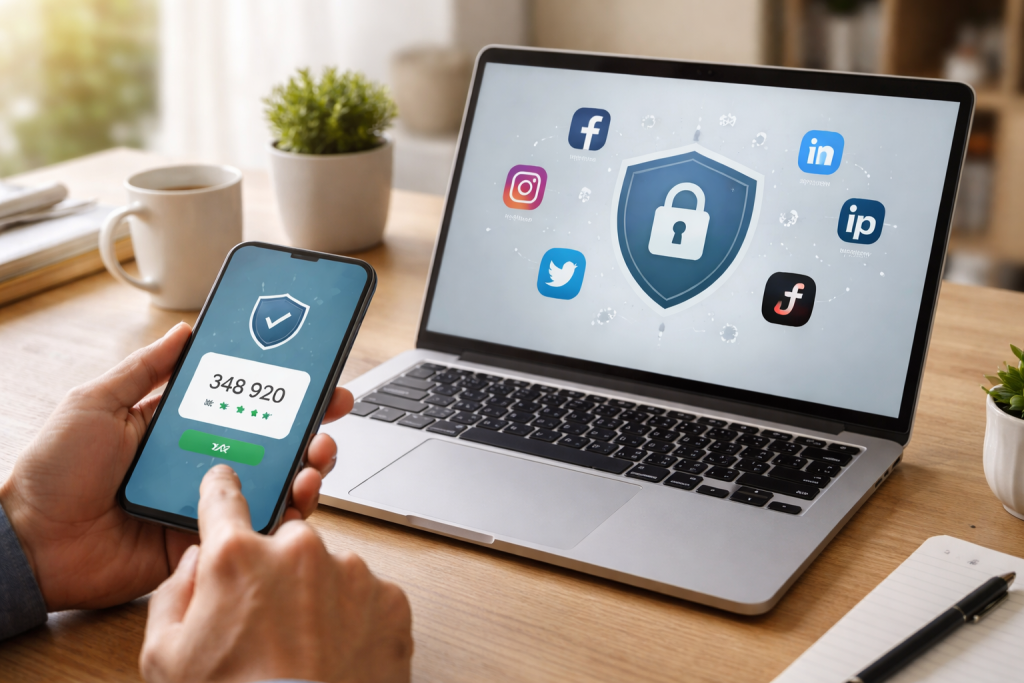
The digital landscape is a battleground, and your social media accounts are prime targets for malicious actors. It’s crucial to grasp the multifaceted risks associated with social media hacking to appreciate the necessity of robust security measures.
Contents
- 0.1 Personal Identity Theft and Financial Fraud
- 0.2 Reputational Damage and Emotional Distress
- 0.3 Malware Distribution and Data Breaches
- 0.4 The Anatomy of a Strong Password
- 0.5 The Pitfalls of Password Reuse
- 0.6 Leveraging Password Managers for Enhanced Security
- 0.7 How Two-Factor Authentication Works
- 0.8 Common Types of Two-Factor Authentication
- 0.9 Deconstructing Common Phishing Tactics
- 0.10 Best Practices for Avoiding Phishing Scams
- 0.11 Regular Review of Login History
- 0.12 Unexpected Changes and Posts
- 0.13 Unrecognized Follow Requests and Messages
- 0.14 Immediate Action: Changing Passwords and Enabling 2FA
- 0.15 Notifying Your Contacts and Reporting the Incident
- 0.16 Reviewing and Reversing Unauthorized Changes
- 0.17 Implementing Strong Access Controls and Employee Training
- 0.18 Utilizing Social Media Management Tools with Security Features
- 0.19 Developing an Incident Response Plan for Social Media Breaches
- 0.20 Keeping Software and Apps Up-to-Date
- 0.21 Periodic Security Audits and Password Changes
- 0.22 Staying Informed About New Threats and Best Practices
- 1 FAQs
- 1.1 1. What are the risks of social media hacking?
- 1.2 2. How can I create strong passwords to protect my social media accounts?
- 1.3 3. What is two-factor authentication and how does it enhance social media security?
- 1.4 4. How can I recognize and avoid phishing attempts on social media?
- 1.5 5. What steps should I take if my social media account is compromised?
- 1.6 About the Author
Personal Identity Theft and Financial Fraud
When a hacker gains unauthorized access to your social media accounts, they often gain a treasure trove of personal information. This can include your full name, date of birth, location, and even details about your family and friends. This data can then be used to commit identity theft, applying for credit cards in your name, opening fraudulent bank accounts, or even applying for loans. Beyond direct financial theft, hackers might use your compromised account to send phishing messages to your contacts, tricking them into revealing their own sensitive information, perpetuating a destructive chain reaction.
Reputational Damage and Emotional Distress
Imagine waking up to discover your social media accounts spewing hateful rhetoric, endorsing illicit activities, or sharing highly embarrassing personal content. This is a common tactic employed by hackers to inflict maximum damage. Such incidents can severely tarnish your reputation, both personally and professionally, making it difficult to regain trust and credibility. The emotional toll of having your private life exposed or manipulated can be significant, leading to stress, anxiety, and a feeling of violation. For businesses, a hacked social media account can lead to a public relations nightmare, eroding customer trust and negatively impacting brand perception.
Malware Distribution and Data Breaches
Social media accounts are also utilized as vectors for spreading malware. A hacker might post malicious links disguised as legitimate content, tricking followers into downloading viruses or spyware. These digital threats can then compromise other devices connected to your network, leading to larger data breaches. For individuals, this could mean the theft of sensitive documents or financial records stored on their computers. For organizations, it could result in the compromise of valuable intellectual property, customer databases, or proprietary information, leading to massive financial losses and legal repercussions.
Your password is the gatekeeper to your digital life. A weak or easily guessable password is an open invitation for hackers to waltz right in. Investing time and effort into crafting robust and unique passwords is the simplest yet most effective security measure you can take.
The Anatomy of a Strong Password
A strong password isn’t just long; it’s complex and unpredictable. It should ideally be at least 12-16 characters long and incorporate a diverse mix of uppercase and lowercase letters, numbers, and special symbols (e.g., !, @, #, $). Avoid using easily discoverable personal information such as your name, birthdate, or pet’s name. Steer clear of common words, phrases, or sequential numbers. Think of a strong password as a unique, random string that would be nearly impossible for a computer program or a person to guess through brute-force methods.
The Pitfalls of Password Reuse
One of the biggest security blunders is reusing the same password across multiple accounts. If a hacker manages to compromise one account with a reused password, they gain immediate access to all other accounts sharing that same key. This is akin to having a single key that opens every door in your house, your car, and your office – a single point of failure that can have catastrophic consequences. Each social media account, and indeed every online service, should have a unique, strong password.
Leveraging Password Managers for Enhanced Security
Remembering a multitude of complex, unique passwords can be an arduous task. This is where password managers become invaluable tools. These applications securely store and encrypt all your passwords, accessible only through a single master password. They can also generate strong, random passwords for you, ensuring that each of your accounts is protected by a unique and robust key. Password managers eliminate the need to memorize dozens of intricate passwords while significantly enhancing your overall security posture.
Even the strongest password can be compromised through sophisticated phishing attacks or accidental leaks. Two-Factor Authentication (2FA), also known as multi-factor authentication (MFA), provides a crucial additional layer of security, making it exponentially harder for unauthorized individuals to access your accounts.
How Two-Factor Authentication Works
2FA requires you to provide two distinct forms of verification before granting access to your account. Typically, this involves something you know (your password) and something you have (a code sent to your phone or generated by an authenticator app) or something you are (a fingerprint or facial scan). Even if a hacker manages to steal your password, they won’t be able to log in without the second factor, rendering their efforts futile.
Common Types of Two-Factor Authentication
Several methods exist for implementing 2FA, each with its own advantages and disadvantages. SMS-based 2FA, where a code is sent to your registered phone number, is widely used due to its simplicity. However, it can be vulnerable to SIM-swapping attacks. Authenticator apps, such as Google Authenticator or Authy, generate time-sensitive codes directly on your device, offering a more secure alternative. Hardware security keys, like YubiKey, provide the highest level of security, requiring a physical device to be present for authentication. Many platforms also offer biometric 2FA, using fingerprint or facial recognition on compatible devices.
Phishing is a highly effective social engineering tactic hackers use to trick individuals into divulging sensitive information. These attempts often impersonate legitimate entities, making them difficult to spot if you’re not vigilant.
Deconstructing Common Phishing Tactics
Phishing emails and messages often share common characteristics. They might create a sense of urgency, threatening account suspension or demanding immediate action. They frequently contain grammatical errors or awkward phrasing, indicative of non-native English speakers or automated translation. Look out for suspicious sender email addresses that don’t match the legitimate organization’s domain. The links within phishing messages are designed to look authentic but, upon closer inspection, lead to fraudulent websites. Always hover over links before clicking to reveal the true URL.
Best Practices for Avoiding Phishing Scams
The golden rule for avoiding phishing is “think before you click.” Never click on suspicious links or download attachments from unknown senders. Be wary of unsolicited messages, even if they appear to come from organizations you trust. If you receive a suspicious request from a known contact, verify it through an alternative communication channel (a phone call or a separate email) to ensure their account hasn’t been compromised. Legitimate organizations will rarely ask for your password or sensitive information via email or direct message. Always navigate directly to official websites rather than relying on links provided in emails.
Even with the strongest passwords and 2FA, constant vigilance is key. Regularly monitoring your social media account activity can help you detect and address unauthorized access before it escalates.
Regular Review of Login History
Most social media platforms provide a feature that displays your login history, including the date, time, location, and device used for each login. Make it a habit to periodically review this activity. If you spot any logins from unfamiliar locations, devices, or at unusual times, it’s a strong indicator of unauthorized access. This immediate detection allows you to take swift action to secure your account.
Unexpected Changes and Posts
Keep an eye out for any unexpected changes to your profile information, such as your profile picture, bio, or contact details. Similarly, be vigilant for posts, comments, or messages that you don’t remember sending or that are out of character for you. These can be tell-tale signs that a hacker has breached your account and is using it for malicious purposes, whether it’s spreading spam, impersonating you, or attempting to scam your followers.
Unrecognized Follow Requests and Messages
A sudden influx of strange follow requests, friend requests from unknown individuals, or unsolicited messages can also signal a compromised account. Hackers often use stolen accounts to expand their network of potential victims or to launch targeted attacks. If you notice any of these anomalies, it’s crucial to investigate further and consider the possibility of a breach.
Despite all preventative measures, a social media account can still be compromised. Knowing how to react swiftly and effectively can mitigate the damage and help you regain control.
Immediate Action: Changing Passwords and Enabling 2FA
The very first step upon discovering a breach is to immediately change your password. Create a strong, unique password that you haven’t used before. If 2FA wasn’t already enabled, activate it without delay. This will lock out the unauthorized user and prevent them from regaining access even if they have your old password. If your email account linked to the social media platform was also compromised, secure that first.
Notifying Your Contacts and Reporting the Incident
Once you’ve secured your account, inform your contacts that your account was compromised. This will prevent them from falling victim to any scams or malicious links sent from your account while it was in the hands of a hacker. Most social media platforms have a reporting mechanism for hacked accounts. Utilize this feature to officially report the incident, which can help the platform investigate and take appropriate action against the perpetrator.
Carefully review all activity on your compromised account. Delete any unauthorized posts or messages, remove any suspicious connections, and revert any changes made to your profile information. Check your privacy settings to ensure they haven’t been altered by the hacker. This meticulous review helps to clean up the damage and restore your account to its original state.
For businesses, a social media account breach can have far-reaching consequences, impacting reputation, customer trust, and financial stability. Protecting these assets requires a dedicated and proactive approach.
Implementing Strong Access Controls and Employee Training
Business social media accounts should operate on a principle of least privilege, meaning employees only have access to what they absolutely need to perform their duties. Implement a robust access control system and regularly review who has access to your accounts. Crucially, provide comprehensive training to all employees involved in social media management. This training should cover best practices for password hygiene, recognizing phishing attempts, and understanding the company’s social media security policies.
Utilizing Social Media Management Tools with Security Features
Many social media management platforms offer advanced security features specifically designed for businesses. These can include centralized password management, audit logs for tracking activity, and approval workflows for posts. These tools not only streamline social media operations but also enhance security by providing a more controlled environment for content creation and publishing.
Developing an Incident Response Plan for Social Media Breaches
Every business should have a clearly defined incident response plan for social media breaches. This plan should outline who is responsible for what in the event of a compromise, how to communicate with affected customers, and the steps to take to restore account control and mitigate reputational damage. A well-rehearsed plan can significantly reduce the impact of a breach and expedite recovery.
The threat landscape is constantly evolving, and so too must your security measures. Cybersecurity is not a one-time setup; it’s an ongoing process of vigilance and adaptation.
Keeping Software and Apps Up-to-Date
Regularly update your operating systems, web browsers, and all social media applications. Software updates often include critical security patches that address newly discovered vulnerabilities. Running outdated software leaves you susceptible to known exploits that hackers can easily leverage. Enable automatic updates whenever possible to ensure you’re always running the most secure versions.
Periodic Security Audits and Password Changes
Schedule regular security audits of your social media accounts. This involves reviewing your settings, access logs, and connections to ensure everything is in order. Make it a practice to periodically change your passwords, even if you haven’t detected any suspicious activity. This adds another layer of proactive defense, rendering any potentially compromised old passwords useless.
Staying Informed About New Threats and Best Practices
The cybersecurity world is dynamic. New threats, hacking techniques, and security vulnerabilities emerge constantly. Stay informed by following reputable cybersecurity news sources, blogs, and industry experts. Be aware of the latest phishing scams and social engineering tactics. Continuously educating yourself on the evolving threat landscape is paramount to maintaining a strong and resilient digital presence. By embracing a proactive and vigilant approach, you can significantly reduce your risk of falling victim to hackers and ensure your social media accounts remain secure and under your control. Don’t let hackers win; arm yourself with knowledge and robust security practices.
FAQs
Social media hacking can lead to unauthorized access to personal or business information, identity theft, financial loss, reputation damage, and the spread of malware or phishing scams.
To create strong passwords, use a combination of uppercase and lowercase letters, numbers, and special characters. Avoid using easily guessable information such as birthdays or common words, and consider using a password manager for added security.
Two-factor authentication adds an extra layer of security by requiring a second form of verification, such as a code sent to your phone, in addition to your password. This helps prevent unauthorized access even if your password is compromised.
Phishing attempts can be recognized by suspicious links, requests for personal information, or urgent messages urging you to take immediate action. To avoid falling for phishing scams, verify the legitimacy of the sender and never click on unfamiliar links or provide sensitive information.
If your social media account is compromised, immediately change your password, revoke access to any unauthorized third-party apps, review your account activity for any unauthorized actions, and report the breach to the platform’s support team.

About the Author
Maya Ali is the founder of ByteSolving with experience in technology and digital solutions. His mission is to make technology easier to understand and help people solve everyday tech problems in a simple and practical way.