
Say Goodbye to Fast-Draining Batteries with These Proven Tips
The silent culprit for many frustrated moments with our beloved gadgets is the alarmingly fast-draining battery. Whether it’s your smartphone dying mid-commute, your wireless headphones giving up the ghost at the peak of your workout, or your portable gaming console failing during a crucial virtual battle, battery life has become a precious commodity. This pervasive issue isn’t just an inconvenience; it can hinder productivity, disrupt our digital lives, and ultimately lead to the premature obsolescence of otherwise perfectly functional devices. Understanding the inner workings of your batteries and adopting smart practices can dramatically extend their operational life and save you from the constant anxiety of a dwindling power meter.
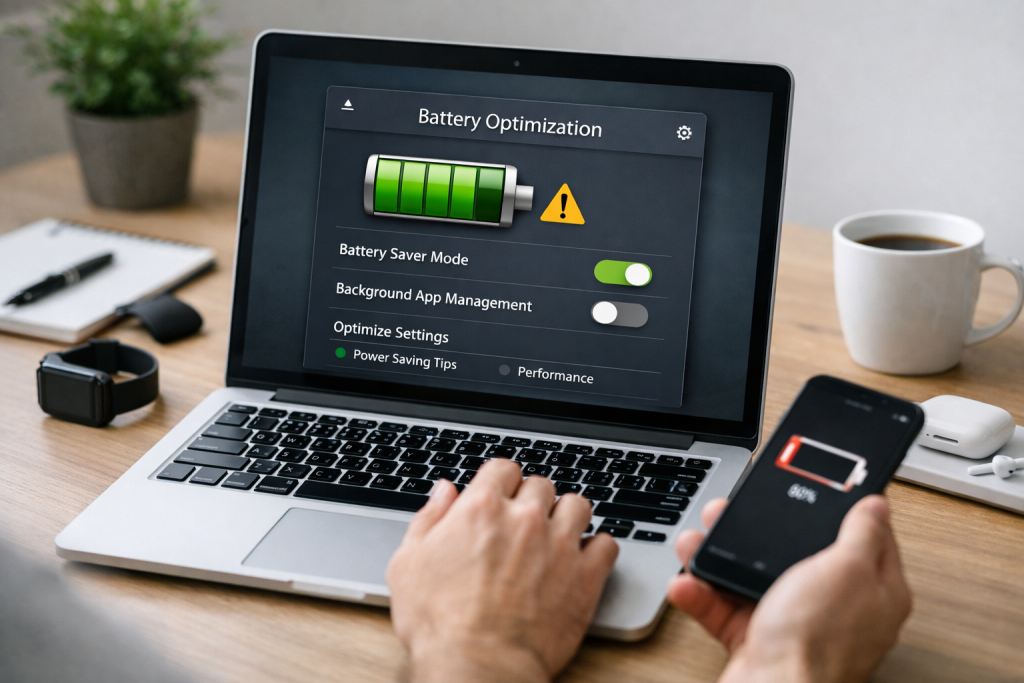
The primary reason batteries, particularly rechargeable ones found in our electronic devices, seem to lose their charge at an accelerated pace often lies in a combination of usage patterns, environmental factors, and the inherent nature of the technology itself. Lithium-ion batteries, the dominant force in modern electronics, are sophisticated but not invincible. Their capacity to hold and deliver power diminishes over time and with each charge cycle.
Contents
- 0.1 The Culprits Behind the Curse
- 0.2 The Erosion of Time and Usage
- 0.3 The Art of the Partial Charge
- 0.4 The Perils of Prolonged Power
- 0.5 The Scorching Truth: Heat’s Detrimental Effect
- 0.6 The Chilling Reality: Cold’s Compromising Grip
- 0.7 Screen Savvy: Dimming the Lights
- 0.8 App Apprehension: Managing Your Digital Diet
- 0.9 The OEM Advantage: Original Equipment Manufacturer Chargers
- 0.10 Fast Charging: A Double-Edged Sword
- 0.11 The Ideal Environment: Cool, Dry, and Dark
- 0.12 Performance and Reliability: The Mark of Quality
- 0.13 The “Memory Effect” Fallacy
- 0.14 The Obvious Signs: Physical Deterioration
- 0.15 Rechargeable Revolution: The Dominant Sustainable Choice
- 1 FAQs
- 1.1 1. What are the common causes of fast-draining batteries?
- 1.2 2. How should I properly charge my batteries to extend their lifespan?
- 1.3 3. What is the impact of temperature on battery performance?
- 1.4 4. What are some tips for reducing battery drain on electronic devices?
- 1.5 5. Why is it important to use the right charger for your batteries?
- 1.6 About the Author
The Culprits Behind the Curse
Several factors contribute significantly to the rapid depletion of battery life. One of the most impactful is screen brightness and usage. The brighter your screen and the longer you keep it illuminated, the more energy it consumes. Similarly, resource-intensive applications that perform complex calculations, stream high-definition video, or utilize GPS and Bluetooth constantly, are significant power hogs. Background processes, where apps continue to operate even when not actively in use, also silently siphon energy. Poor network connectivity, especially in areas with weak Wi-Fi or cellular signals, forces devices to work harder to maintain a connection, leading to increased battery drain.
The Erosion of Time and Usage
Every battery has a finite lifespan, measured in charge cycles. Each time you charge a battery from a low state to full, it counts as a cycle. With each cycle, there’s a microscopic degradation of the battery’s internal chemistry, leading to a gradual reduction in its maximum capacity. This is why older devices, even with fully charged batteries, often don’t last as long as they did when new.
The way you charge your batteries plays a pivotal role in their overall health and how long they retain their charge. Adopting proper charging habits can significantly extend their lifespan and ensure they perform at their best for longer.
The Art of the Partial Charge
Contrary to popular belief, repeatedly charging your device from 0% to 100% is not always the best approach for lithium-ion batteries. These batteries experience stress at both extreme ends of the charge spectrum. Keeping your battery perpetually topped up at 100% or allowing it to fully discharge frequently can contribute to accelerated degradation.
Optimizing Charge Levels for Optimal Performance
It’s generally recommended to keep your battery charge between 20% and 80%. This “sweet spot” minimizes stress on the battery’s internal components. While some modern devices have built-in charge optimization features that aim to achieve this, being mindful of your charging habits can also make a difference. Overnight charging, while convenient, often leads to the device staying at 100% for extended periods. If possible, unplugging your device once it reaches its target charge level can be beneficial.
The Perils of Prolonged Power
Leaving a device plugged in and fully charged for days on end, especially in warm environments, can be detrimental. The built-in circuitry of most devices is designed to prevent overcharging, but the persistent presence of a full charge, particularly under heat, can still contribute to a gradual decline in battery health.
Temperature is a silent but powerful antagonist to battery performance. Both extreme heat and cold can significantly impact how well your batteries function and their long-term health.
The Scorching Truth: Heat’s Detrimental Effect
High temperatures are the arch-nemesis of lithium-ion batteries. When exposed to heat, the chemical reactions within the battery accelerate, leading to faster degradation of its components. This can manifest as a reduced capacity, meaning the battery holds less charge, and an increased internal resistance, which can cause the battery to feel warm during charging and use. Leaving your device in a hot car, direct sunlight, or even using it heavily while charging can all contribute to overheating.
The Chilling Reality: Cold’s Compromising Grip
While heat is more damaging in the long run, extremely cold temperatures can also negatively affect immediate battery performance. In cold environments, the chemical reactions within the battery slow down, leading to a temporary decrease in voltage and capacity. This means your device might appear to be draining faster, or even shut down prematurely, even though the battery itself might not be significantly damaged in the long term by the cold exposure. The key is that once the device warms up, its performance should generally return to normal.
Situational Awareness for Battery Health
Being aware of your environment is crucial for battery preservation. Avoid leaving your devices in direct sunlight for extended periods or in enclosed, hot spaces like a car dashboard. Similarly, if you’re in a very cold environment and notice your battery performance dipping, try to warm your device up gently before expecting optimal performance.
Beyond charging and temperature considerations, numerous everyday practices can significantly reduce how quickly your electronic devices drain their batteries. A few mindful adjustments can make a world of difference in your daily connectivity.
Screen Savvy: Dimming the Lights
The display screen is often the single biggest battery consumer on most portable devices. Lowering the screen brightness is one of the most effective ways to conserve power. Many devices have automatic brightness settings that adjust based on ambient light, but manually setting it to a lower level when possible can yield substantial savings.
Adaptive Settings for Energy Efficiency
Explore your device’s display settings. Features like “adaptive brightness” can automate this process for you. Also, consider reducing the screen timeout duration, the amount of time the screen stays on after inactivity. Shorter timeout periods mean less unnecessary screen-on time.
App Apprehension: Managing Your Digital Diet
The applications you use, and how you use them, have a profound impact on battery drain. Identifying and managing power-hungry apps is essential.
Background App Management: The Silent Consumers
Many apps continue to run in the background, refreshing data, sending notifications, or syncing information. While this is sometimes necessary, it can be a major drain. Regularly review your device’s battery usage statistics to identify which apps are consuming the most power. You can then restrict background activity for non-essential apps in your device’s settings.
Location Services and Connectivity: Strategic Usage
GPS, Wi-Fi, and Bluetooth are all convenient features, but they also consume battery power. If you’re not actively using location services for navigation or specific apps, consider turning them off. Similarly, if you’re not connected to Wi-Fi, turn it off to prevent your device from constantly searching for a network. Disable Bluetooth when not in use.
It might seem like any charger will do, but using the correct charger for your batteries is not just about speed; it’s about safety and longevity.
The OEM Advantage: Original Equipment Manufacturer Chargers
Using the charger that came with your device, or an official replacement from the manufacturer, is generally the safest and most reliable option. These chargers are specifically designed to deliver the optimal voltage and current for your device’s battery, ensuring efficient charging and minimizing the risk of damage or overheating.
Uncertified Chargers: A Risky Proposition
Third-party or uncertified chargers can be tempting due to their lower cost or advertised faster charging speeds. However, these chargers may not meet the same safety and quality standards as OEM chargers. Incorrect voltage or amperage can lead to slower charging, overheating, permanent battery damage, or even fire hazards.
Fast Charging: A Double-Edged Sword
While fast charging technology is undeniably convenient, it’s important to understand its potential impact. Fast charging by its nature generates more heat, which, as we’ve discussed, can accelerate battery degradation over time. For everyday charging, consider using a standard charger if your battery health is a primary concern. Reserve fast charging for when you’re in a time crunch.
Proper storage is crucial for batteries that aren’t in regular use, especially for rechargeable batteries in devices that are only occasionally used or for spare batteries.
The Ideal Environment: Cool, Dry, and Dark
The best place to store batteries is in a cool, dry, and dark environment. Avoid extreme temperatures, both hot and cold, as well as direct sunlight and high humidity. A drawer in a climate-controlled room or a dedicated battery storage case is ideal.
The Charge Level Conundrum: Storing at the Right Percentage
For long-term storage of rechargeable batteries, it’s generally recommended to store them at around 50% charge. Storing them fully charged or completely depleted can cause stress and accelerate self-discharge and degradation over time. Batteries naturally lose charge over time even when not in use, so checking and topping them up occasionally (e.g., every few months) can help maintain their health.
While it might seem like an unnecessary expense, investing in high-quality batteries can lead to long-term savings and improved user experience.
Performance and Reliability: The Mark of Quality
Higher-quality batteries, whether they are the original equipment or reputable third-party replacements, are typically manufactured with better materials and tighter quality controls. This translates to more consistent performance, longer charge retention, and a greater number of charge cycles before significant degradation occurs.
Extended Lifespan and Reduced Replacements
While the initial cost might be higher, a superior battery will likely last longer and maintain its capacity better than a cheaper, lower-quality alternative. This means you’ll need to replace it less frequently, ultimately saving you money and reducing electronic waste.
The world of batteries is rife with myths and misinformation. Understanding the facts can help you make more informed decisions about how you use and maintain your power sources.
The “Memory Effect” Fallacy
One of the most enduring myths is the “memory effect,” which supposedly plagued older Nickel-Cadmium (NiCd) batteries. This myth suggested that if you only partially discharged these batteries and then recharged them, they would “remember” this lower capacity and only charge to that level. While this was a real issue for NiCd batteries, modern Lithium-ion batteries are not susceptible to the memory effect. Therefore, you don’t need to fully discharge and recharge your smartphone or laptop battery routinely.
The “Break-In” Period: Necessary or Not?
Another common misconception is the need for a “break-in” period for new batteries, involving several full charge and discharge cycles. While some older battery chemistries might have benefited from this, it’s generally not necessary for modern lithium-ion batteries. They are usually ready for optimal use right out of the box.
Batteries, like all electronic components, have a finite lifespan. Recognizing the signs of an aging or damaged battery is crucial to prevent unexpected failures and ensure optimal device performance.
The Obvious Signs: Physical Deterioration
The most obvious indicators of a failing battery include physical swelling or bulging of the battery casing. This is a clear sign of internal damage and a potential safety hazard. If you notice any such deformation, the battery should be replaced immediately.
Performance Declines: The Subtle Clues
Beyond visible damage, a battery’s fading performance is a significant indicator of its age. If your device suddenly starts draining much faster than it used to, even after checking for software issues or power-hungry apps, it’s likely your battery is nearing the end of its life. Frequent and unexpected shutdowns, especially when the battery indicator shows a significant charge remaining, are also strong signs of a deteriorating battery.
As our reliance on batteries grows, so does the environmental impact of their production and disposal. Exploring sustainable alternatives offers a more eco-conscious approach to powering our lives.
Rechargeable Revolution: The Dominant Sustainable Choice
The most readily available and widely adopted sustainable alternative to disposable batteries is the rechargeable battery. Lithium-ion batteries, while requiring initial resources for production, offer a significant advantage by being reusable thousands of times. This drastically reduces the number of single-use batteries ending up in landfills.
Exploring Emerging Technologies: The Future of Energy Storage
Beyond rechargeable lithium-ion, research and development are continuously exploring new battery technologies with enhanced sustainability profiles. This includes advancements in solid-state batteries, which promise greater safety and energy density, and innovative recycling methods for existing battery chemistries, aiming to recover valuable materials and minimize waste. The pursuit of batteries made from more abundant and less toxic materials is also a key focus for a greener energy future.
FAQs
1. What are the common causes of fast-draining batteries?
2. How should I properly charge my batteries to extend their lifespan?
3. What is the impact of temperature on battery performance?
4. What are some tips for reducing battery drain on electronic devices?
5. Why is it important to use the right charger for your batteries?

About the Author
Maya Ali is the founder of ByteSolving with experience in technology and digital solutions. His mission is to make technology easier to understand and help people solve everyday tech problems in a simple and practical way.