
Hack-Proof Your Life: Expert Strategies for Defending Against Cyber Attacks
In today’s increasingly interconnected world, the threat of cyberattacks looms larger than ever. From sophisticated state-sponsored operations to opportunistic individual hackers, the digital landscape is fraught with peril. Failing to adequately protect ourselves leaves us vulnerable to data breaches, financial theft, identity fraud, and even reputational damage. This article will delve into expert strategies to help you “hack-proof” your life, building robust defenses against the ever-evolving cyber threat landscape.
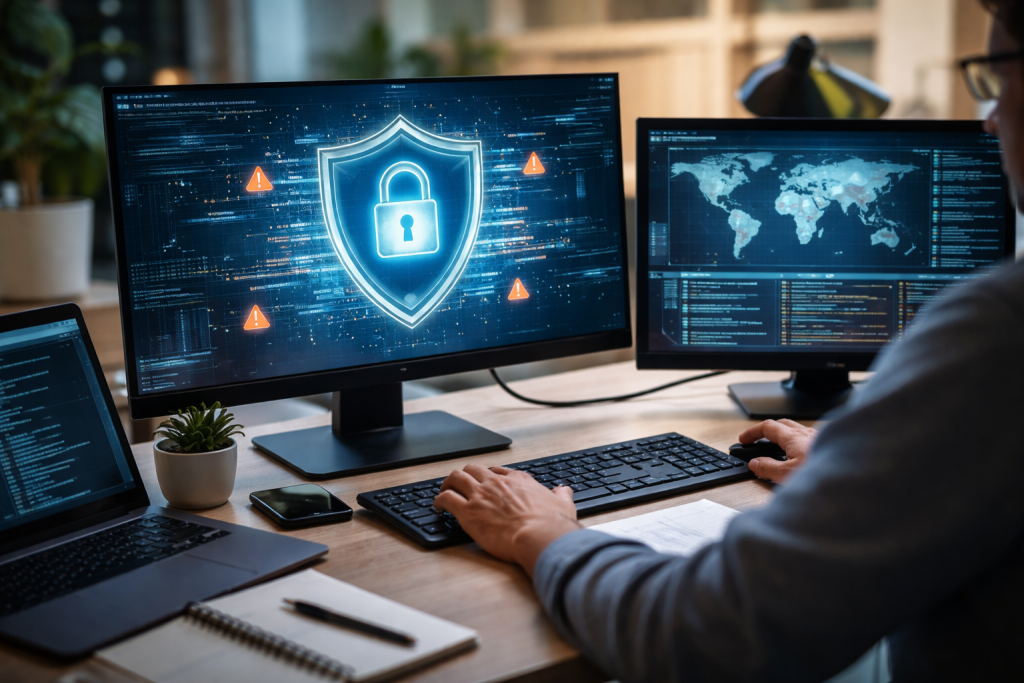
The digital battlefield is not static; it’s a dynamic and constantly shifting environment. Understanding the nature of the threats we face is the first crucial step in building effective defenses. Cybercriminals are employing increasingly sophisticated methods, employing artificial intelligence and machine learning to automate attacks and identify vulnerabilities at scale.
Contents
- 0.1 Common Cyber Threats
- 0.2 Emerging Threats and Tactics
- 0.3 The Importance of Strong, Unique Passwords
- 0.4 Effective Password Management Strategies
- 0.5 Securing Your Mobile Devices
- 0.6 Protecting Your Computers and Laptops
- 0.7 Understanding Account Security Best Practices
- 0.8 The Critical Role of Two-Factor Authentication (2FA)
- 0.9 The Anatomy of a Phishing Attack
- 0.10 Strategies for Spotting and Defeating Phishers
- 0.11 The Importance of a Secure Wi-Fi Connection
- 0.12 Best Practices for Router and Network Security
- 0.13 Beyond Passwords: The Power of a Second Factor
- 0.14 Where to Apply Two-Factor Authentication
- 0.15 The “Patching” Imperative
- 0.16 Strategies for Efficient and Effective Updates
- 0.17 Building a Culture of Cybersecurity Awareness
- 0.18 Key Topics for Family Cybersecurity Education
- 0.19 Recognizing the Limitations of DIY Cybersecurity
- 0.20 When to Consider Professional Cybersecurity Services
- 1 FAQs
- 1.1 1. What are some expert strategies for defending against cyber attacks?
- 1.2 2. How can I strengthen my password security?
- 1.3 3. What are some ways to safeguard personal devices from cyber threats?
- 1.4 4. How can I protect my online accounts from cyber attacks?
- 1.5 5. What are some cybersecurity best practices for educating myself and my family?
- 1.6 About the Author
Common Cyber Threats
Several prevalent types of cyber threats continually target individuals and organizations alike.
Malware and Ransomware
Malware, short for malicious software, encompasses a broad category of harmful programs designed to infiltrate or damage computer systems. This includes viruses, worms, Trojans, and spyware. Among the most disruptive forms of malware is ransomware, which encrypts a victim’s files and demands a ransom for their decryption. The financial and operational consequences of a ransomware attack can be devastating, leading to significant downtime and loss of sensitive data.
Distributed Denial-of-Service (DDoS) Attacks
DDoS attacks aim to overwhelm a target server or network resource with a flood of internet traffic, rendering it inaccessible to legitimate users. While often associated with targeting businesses and critical infrastructure, individuals can also be impacted if their internet service is disrupted by a cascading DDoS attack. The goal is typically to disrupt a service or to extort money by threatening to continue the disruption.
Insider Threats
While external threats often dominate headlines, insider threats can be equally damaging. These can stem from malicious intent, negligence, or even human error. Employees or individuals with legitimate access to systems can inadvertently or intentionally expose sensitive data, leading to breaches that might be harder to detect than external attacks.
Emerging Threats and Tactics
The ingenuity of cybercriminals means that new threats and tactics are constantly emerging. Staying ahead of these requires continuous vigilance and adaptation.
Artificial Intelligence (AI) in Cybercrime
AI is a double-edged sword in cybersecurity. While it’s a powerful tool for defense, it’s also being harnessed by attackers. AI can be used to craft more convincing phishing emails, identify zero-day vulnerabilities with unprecedented speed, and even automate the process of exploiting weaknesses in systems. This necessitates more advanced and AI-driven defensive measures.
Supply Chain Attacks
A particularly insidious type of attack targets the software supply chain. Instead of attacking a company directly, attackers compromise a trusted third-party vendor or software component that a target organization relies on. This allows them to inject malicious code into legitimate software updates, impacting a wide range of downstream users.
Passwords are often the first and most fundamental barrier between your digital life and potential attackers. Yet, they are also frequently the weakest link. Implementing robust password security practices is paramount.
The Importance of Strong, Unique Passwords
The days of using simple, easily guessable passwords like “123456” or “password” are long gone. Attackers use sophisticated algorithms and brute-force techniques to crack weak passwords in mere seconds.
Characteristics of a Strong Password
A strong password is long, complex, and unpredictable. Aim for a minimum of 12-15 characters, incorporating a mix of uppercase and lowercase letters, numbers, and symbols. Avoid using personal information, common words, or sequential patterns. Consider creating a passphrase—a sequence of unrelated words—which can be easier to remember but much harder to crack.
The Peril of Password Reuse
Reusing the same password across multiple accounts is a recipe for disaster. If one account is compromised, attackers can leverage those credentials to gain access to all other services using the same password. This creates a domino effect, potentially leading to widespread compromise of your online identity.
Effective Password Management Strategies
Manually remembering numerous strong and unique passwords is an impossible task for most people. Fortunately, there are effective tools and strategies to manage your password hygiene.
Password Managers: Your Digital Vault
A password manager is an indispensable tool for modern cybersecurity. These applications securely store all your generated passwords, encrypting them and allowing you to access them with a single master password. They can also generate highly complex and unique passwords for each of your online accounts, eliminating the need for you to devise them yourself.
Two-Factor Authentication (2FA): An Essential Layer
While strong passwords are vital, they are only one part of the equation. Two-factor authentication adds an extra layer of security by requiring more than just a password to log in.
Your laptops, smartphones, and tablets are gateways to your digital life. Compromised devices can give attackers direct access to your most sensitive information and personal accounts.
Securing Your Mobile Devices
Smartphones and tablets hold an enormous amount of personal data, from contacts and photos to financial information and login credentials.
Device Passcodes and Biometrics
Always enable a strong passcode or PIN on your mobile device. Fingerprint or facial recognition (biometric authentication) offers an added layer of convenience and security, but it’s essential to have a strong passcode as a fallback.
App Permissions and Downloads
Be judicious about the apps you download and the permissions you grant them. Review app permissions regularly and revoke unnecessary access. Only download apps from official app stores to minimize the risk of encountering malware.
Protecting Your Computers and Laptops
Computers often store even more sensitive data and are prime targets for malware and unauthorized access.
Antivirus and Anti-Malware Software
Install reputable antivirus and anti-malware software on all your computers and keep it updated. These programs scan for and remove malicious software, providing essential protection.
Encryption of Sensitive Data
Consider encrypting sensitive files or even your entire hard drive. Full-disk encryption renders your data unreadable to anyone without the correct decryption key, offering a critical safeguard if your device is lost or stolen.
Beyond devices, your online accounts are the digital representation of your identity. Protecting them is crucial to prevent fraud and maintain your privacy.
Understanding Account Security Best Practices
Each online service requires a unique approach to security, but some fundamental principles apply universally.
Strong Passwords and Password Managers (Reiterated)
As discussed earlier, strong, unique passwords are non-negotiable for all your online accounts. Couple this with a reliable password manager for efficient management.
Reviewing Account Activity Regularly
Make it a habit to periodically review the activity logs of your important online accounts, such as email, social media, and banking. Look for any suspicious logins or actions you didn’t authorize.
The Critical Role of Two-Factor Authentication (2FA)
Two-factor authentication is not merely an option; it’s an essential security measure for all your critical online accounts.
How 2FA Works
2FA typically involves a combination of something you know (your password) and something you have (a code from your phone app or a physical security key). Even if your password is stolen, without the second factor, an attacker cannot access your account.
Implementing 2FA Across Your Accounts
Prioritize enabling 2FA on your email, social media, banking, and any other service that stores sensitive information. Most major online platforms now offer 2FA options, so take the time to set them up.
Phishing scams are a pervasive and often highly effective method used by cybercriminals to trick individuals into divulging sensitive information or downloading malicious software.
The Anatomy of a Phishing Attack
Understanding how these scams are constructed is key to spotting them.
Deceptive Emails and Messages
Phishing emails often mimic legitimate communications from trusted organizations like banks, online retailers, or government agencies. They typically create a sense of urgency or fear to prompt immediate action.
Malicious Links and Attachments
These deceptive messages often contain links that lead to fake login pages designed to steal your credentials or attachments that, when opened, install malware on your device.
Strategies for Spotting and Defeating Phishers
Developing a critical eye and employing smart practices can protect you from falling victim.
Scrutinizing Sender Information
Always carefully examine the sender’s email address. Phishers often use slightly altered or misspelled addresses to impersonate legitimate senders.
Identifying Unsolicited Communications
Be wary of unsolicited emails or messages asking for personal information or urgent action. Legitimate organizations rarely request sensitive data via email.
Hovering Over Links
Before clicking on a link in an email, hover your mouse cursor over it to reveal the actual URL. If the URL looks suspicious or doesn’t match the purported sender, do not click it.
Trusting Your Gut Feeling
If something feels off about an email or message, it probably is. It’s always better to err on the side of caution and verify directly with the alleged sender through a separate, known communication channel.
Your home Wi-Fi network is the entry point to the internet for all your devices. A compromised home network can expose everything connected to it.
The Importance of a Secure Wi-Fi Connection
A strong and secure home network is the foundation of your digital safety.
Default Router Passwords: A Major Vulnerability
Many routers come with default administrator passwords that are widely known. It is absolutely crucial to change these immediately.
Strong Wi-Fi Encryption
Ensure your Wi-Fi network is secured with the strongest available encryption protocol, preferably WPA3 if your router supports it, or WPA2. Avoid older, less secure options like WEP.
Best Practices for Router and Network Security
Taking deliberate steps to secure your router significantly enhances your home network’s defenses.
Changing Default Router Credentials
Log into your router’s administration interface and change the default username and password. Use strong, unique credentials for router access.
Implementing a Strong Wi-Fi Password
Create a robust password for your Wi-Fi network that is difficult to guess. This password should be distinct from your router administration password.
Keeping Router Firmware Updated
Router manufacturers regularly release firmware updates that patch security vulnerabilities. Regularly check for and install these updates to keep your router secure.
Guest Networks for Visitors
Consider setting up a separate guest network for visitors. This isolates their devices from your main network, preventing potential compromises from their devices from affecting your own.
This section further emphasizes the critical importance of 2FA.
Beyond Passwords: The Power of a Second Factor
While strong passwords are vital, they can be compromised through various means. Two-factor authentication adds a crucial layer of security that significantly reduces the risk of unauthorized access.
Types of Two-Factor Authentication Methods
- SMS-based authentication: Codes are sent via text message to your registered phone number. This is common but can be vulnerable to SIM-swapping attacks.
- Authenticator apps: Apps like Google Authenticator or Authy generate time-based one-time passwords (TOTPs) that change every 30-60 seconds. This is generally considered more secure than SMS.
- Hardware security keys: Physical devices that plug into your computer or connect via NFThese offer the highest level of security against phishing and account takeover.
- Biometric authentication: Using your fingerprint or facial scan as a second factor, often integrated into mobile apps and devices.
Where to Apply Two-Factor Authentication
Prioritize enabling 2FA on the most sensitive accounts:
- Email accounts: Your primary email address often serves as the recovery point for many other accounts.
- Financial accounts: Banking, investment, and cryptocurrency platforms.
- Social media accounts: To protect your online reputation and personal information.
- Cloud storage services: Where you store sensitive documents and files.
- Online shopping accounts: Especially those with saved payment information.
Software and app developers are continuously working to identify and fix security flaws in their products. Failing to update these leaves your devices and accounts exposed to known vulnerabilities.
The “Patching” Imperative
Software vulnerabilities are like open doors for cybercriminals. Updates are designed to “patch” these doors shut.
How Vulnerabilities are Exploited
Attackers actively scan for systems running outdated software containing known security holes. They can then use readily available exploits to gain unauthorized access.
The Importance of Regular Updates
Treat software updates as a critical security maintenance task, not an optional convenience.
Strategies for Efficient and Effective Updates
Making updates a regular part of your digital hygiene is essential.
Enabling Automatic Updates
Many operating systems and applications offer the option for automatic updates. Enable this feature whenever possible to ensure you’re always running the latest, most secure versions.
Manual Checks for Updates
For software or apps that don’t support automatic updates, make it a habit to manually check for and install updates regularly. This is especially true for your operating system and web browsers.
Understanding app permissions and updates
When you update an app, it is wise to review the permissions it requests again. Sometimes, updates might introduce new data collection practices or request access to information previously not asked for.
Cybersecurity is not just an individual responsibility; it’s a family affair. Educating everyone in your household about online risks and safe practices creates a stronger collective defense.
Building a Culture of Cybersecurity Awareness
Fostering a proactive approach to online safety within your home is vital for protecting everyone.
Age-Appropriate Education
Tailor cybersecurity education to the age and digital literacy of each family member. Children need to understand online predators and cyberbullying, while adults might focus on financial scams and identity theft.
Discussing Online Risks Openly
Create an open environment where family members feel comfortable discussing any suspicious online encounters or concerns without fear of reprisal.
Key Topics for Family Cybersecurity Education
Focus on the most critical areas to ensure comprehensive protection.
Social Engineering and Phishing (Reinforced)
Explain how attackers manipulate people into revealing information or taking actions that compromise their security. Role-playing scenarios can be effective for demonstrating these tactics.
The Permanence of Online Information
Emphasize that anything posted online can be difficult, if not impossible, to remove completely. Teach the importance of thoughtful online sharing and privacy settings.
Safe Online Browsing Habits
Discuss the dangers of clicking on suspicious links, downloading unknown files, and visiting untrustworthy websites. Guide them on how to identify secure websites (e.g., looking for “https” in the URL).
Password Hygiene for All Ages
Even younger family members can begin to understand the concept of strong, unique passwords and the importance of not sharing them.
While individuals can implement many effective security measures, there are times when professional assistance is necessary.
Recognizing the Limitations of DIY Cybersecurity
Even the most diligent individual can encounter sophisticated threats that require specialized knowledge and tools.
Complex Threats and Business Needs
For small businesses or individuals managing highly sensitive data, relying solely on personal efforts might not be sufficient to combat advanced cyber threats.
Dealing with a Breach
If you suspect you have been a victim of a cyberattack or data breach, professional help can be invaluable in mitigating the damage, recovering lost data, and understanding the full extent of the compromise.
When to Consider Professional Cybersecurity Services
Understanding the scenarios where external expertise is beneficial can save you significant time, money, and stress.
- Data breaches and incident response: Professionals can help contain the breach, investigate the cause, and assist in recovery.
- Vulnerability assessments and penetration testing: They can proactively identify weaknesses in your systems and networks before attackers do.
- Managed security services: For businesses, these services provide ongoing monitoring, threat detection, and incident response.
- Digital forensics: Investigating and analyzing digital evidence to understand the scope of a cybercrime.
By understanding the threat landscape, implementing robust personal and network security measures, and committing to continuous education, you can significantly enhance your defenses against cyberattacks. Remember, cybersecurity is an ongoing journey, not a destination, and staying informed and vigilant is your most powerful weapon.
FAQs
1. What are some expert strategies for defending against cyber attacks?
Some expert strategies for defending against cyber attacks include strengthening password security, safeguarding personal devices, protecting online accounts, recognizing and avoiding phishing scams, securing home networks, utilizing two-factor authentication, and keeping software and apps updated.
2. How can I strengthen my password security?
To strengthen password security, it is important to use complex and unique passwords for each account, enable multi-factor authentication when available, avoid using easily guessable information in passwords, and consider using a reputable password manager to securely store and manage passwords.
3. What are some ways to safeguard personal devices from cyber threats?
To safeguard personal devices from cyber threats, it is important to keep devices and software updated, use reputable security software, be cautious of downloading and installing apps from unknown sources, and avoid connecting to unsecured public Wi-Fi networks.
4. How can I protect my online accounts from cyber attacks?
To protect online accounts from cyber attacks, it is important to use strong and unique passwords, enable two-factor authentication when available, be cautious of phishing scams and suspicious links, and regularly monitor account activity for any unauthorized access.
5. What are some cybersecurity best practices for educating myself and my family?
Some cybersecurity best practices for educating yourself and your family include staying informed about the latest cyber threats and security best practices, discussing the importance of online safety and privacy with family members, and setting guidelines for safe and responsible online behavior.

About the Author
Maya Ali is the founder of ByteSolving with experience in technology and digital solutions. His mission is to make technology easier to understand and help people solve everyday tech problems in a simple and practical way.