
Say Goodbye to Charging Woes: Easy Fixes for Your Phone Not Charging
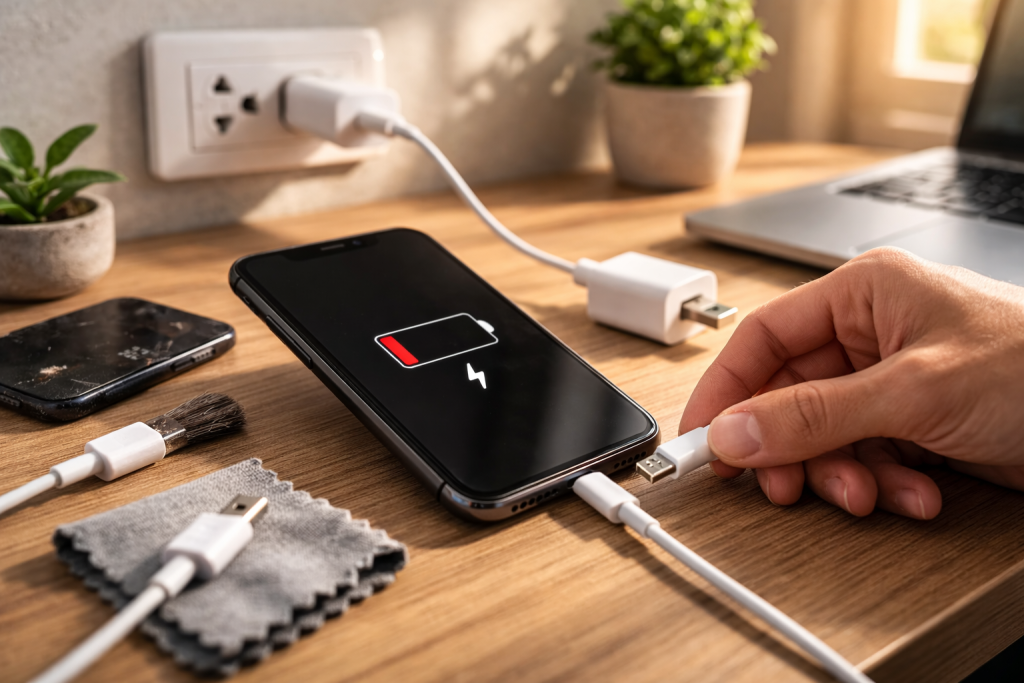
The modern smartphone is an indispensable tool, a gateway to communication, information, and entertainment. But its utility grinds to a halt the moment its battery drains and the familiar charging icon fails to appear. That sinking feeling of a dead phone, especially when you’re out and about, is a shared frustration. Fortunately, many charging woes are easily remedied without a trip to the repair shop. Understanding the common culprits behind a non-charging phone can save you both time and money.
Contents
- 0.1 Decoding the Enigma: Common Reasons Why Your Phone Won’t Charge
- 0.2 Simple Solutions: Troubleshooting Tips for Charging Issues
- 0.3 Beyond the Basics: Advanced Considerations for Charging Health
- 0.4 When to Wave the White Flag: When to Seek Professional Help for Charging Problems
- 1 FAQs
- 1.1 1. What are common reasons why my phone won’t charge?
- 1.2 2. How can I troubleshoot charging issues with my phone?
- 1.3 3. Why is it important to use the right charger for my phone?
- 1.4 4. What are some tips for extending my phone’s battery life?
- 1.5 5. When should I seek professional help for charging problems with my phone?
- 1.6 About the Author
Decoding the Enigma: Common Reasons Why Your Phone Won’t Charge
Before diving into solutions, it’s crucial to understand why your phone might be refusing to juice up. The issue isn’t always a catastrophic hardware failure; more often than not, it’s something surprisingly simple.
The Charging Port: A Lint Trap’s Lair
One of the most frequent offenders is a clogged charging port. Over time, pockets accumulate a surprising amount of lint, dust, and debris. This seemingly innocuous fluff can pack tightly into the charging port, preventing the charging cable from making proper contact with the internal pins. Without a solid connection, electricity simply can’t flow into your device.
Cable Calamities: The Wear and Tear of Everyday Life
The charging cable itself is another prime suspect. Cables are subjected to constant bending, twisting, and tugging, leading to internal wire damage. Frayed wires near the connectors are a tell-tale sign of a dying cable. Even if there’s no visible damage, a faulty cable can still fail to transmit power efficiently or at all.
Adapter Anomalies: The Power Brick’s Role
Just like the cable, the wall adapter (or power brick) can also be the source of the problem. Internal components can wear out or be damaged by power surges. A malfunctioning adapter won’t deliver the necessary power to your phone, regardless of how good your cable is.
Software Glitches: The Digital Hiccup
Sometimes, the issue isn’t hardware at all, but a software glitch. A corrupted app, an operating system bug, or even a system crash can interfere with the charging process, making your phone believe it’s not receiving power when it actually is, or preventing the charging icon from appearing.
Battery Blues: The Inevitable Decline
Every rechargeable battery has a finite lifespan. Over hundreds of charge cycles, a battery’s capacity slowly degrades. Eventually, it may struggle to hold a charge, charge very slowly, or even fail to charge at all. While this is less common for sudden charging failures, it’s a factor in older devices.
Simple Solutions: Troubleshooting Tips for Charging Issues
Once you have a general idea of what might be wrong, you can start systematically troubleshooting the problem. Many solutions are surprisingly easy to implement.
The Art of the Clean: How to Clean Your Charging Port
Cleaning your charging port requires a delicate touch. The goal is to remove debris without damaging the fragile pins inside. Start by turning off your phone completely. Use a toothpick or a small, non-conductive tool (like the plastic end of a floss pick) to gently scrape out any visible lint or dirt. Avoid using anything metallic that could short-circuit the pins. A blast of compressed air can also be effective, but hold the can upright to prevent propellant from entering the port. After
cleaning, try charging your phone again.
The Charger Check-Up: The Importance of Using the Right Charger
Not all chargers are created equal. Using the charger that came with your phone, or a high-quality, certified third-party charger, is paramount. Different phones have different power requirements, and using an underpowered charger can result in slow charging or no charging at all. Furthermore, cheap, uncertified chargers can be a fire hazard and
may damage your phone’s battery or charging circuitry. Always check the output specifications (voltage and amperage) of your charger and compare them to your phone’s requirements.
Cable Conundrums: Testing and Replacing Cables
If cleaning the port doesn’t help, the next step is to swap out your charging cable. Borrow a known-good cable from a friend or use a spare if you have one. If your phone charges with the new cable, then your old cable was the culprit. It’s often worthwhile to invest in a durable, high-quality replacement cable from a reputable brand.
Adapter Assessment: Isolating the Power Source
Similarly, test your wall adapter. Try plugging your existing cable into a different wall adapter that you know works, or try your suspected faulty adapter with a known-good cable and another device. If your phone charges with a different adapter, you’ve found your problem. Avoid using PC USB ports for primary charging, as they often deliver insufficient power for optimal charging speed.
The Software Reset: How to Reset Your Phone’s Charging System
A simple restart can often resolve minor software glitches. Turn your phone off completely, wait for about 30 seconds, and then turn it back on. If that doesn’t work, consider a “soft reset” or “force restart,” which varies by phone model (e.g., holding down the power and volume down buttons simultaneously for several seconds). This can clear temporary software errors that might be preventing charging.
Beyond the Basics: Advanced Considerations for Charging Health
While basic troubleshooting covers most common issues, there are other factors that can influence your phone’s charging behavior and overall battery health.
Remaining Current: Understanding the Role of Software Updates in Charging
Software updates are not just about new features and security patches; they also often include optimizations for battery management and charging algorithms. An outdated operating system might have bugs that affect charging, or it might not be utilizing the hardware efficiently. Always keep your phone’s operating system and apps updated to ensure optimal performance and charging health.
Temperature Troubles: The Impact of Temperature on Charging
Extreme temperatures are detrimental to battery health and charging efficiency. Charging your phone in very hot or very cold environments can slow down the charging process, damage the battery, and even pose a safety risk. Avoid leaving your phone in direct sunlight, in a hot car, or charging it under a pillow. Most phones have built-in safety mechanisms that will slow down or stop charging if the internal temperature gets too high. Ensure that your phone has adequate ventilation while charging.
Longevity Secrets: Tips for Extending Your Phone’s Battery Life
Proactive measures can significantly extend your phone’s battery lifespan. Avoid constantly draining your battery to 0% and then charging it to 100%. Modern lithium-ion batteries prefer to be kept between 20% and 80%. Using fast charging sparingly, especially for overnight charges, can also be beneficial. Dimming your screen, turning off unnecessary notifications, and closing background apps can also reduce battery drain, meaning you’ll need to charge less frequently.
Charger Care: How to Properly Store and Handle Your Charger
Your charger is an electronic device and should be treated with care. Avoid yanking the cable from the phone or the wall adapter, as this can stress the connectors and internal wires. Store cables neatly wound, but not too tightly, to prevent crimping. Keep chargers away from moisture and extreme temperatures. A well-maintained charger will last longer and serve your phone better.
When to Wave the White Flag: When to Seek Professional Help for Charging Problems
While DIY fixes can solve many charging problems, there are times when professional intervention is necessary.
Persistent Problems: Beyond Basic Troubleshooting
If you’ve tried all the troubleshooting steps and your phone still refuses to charge, or if the charging is erratic, it’s likely a more serious hardware issue. This could involve a damaged charging port assembly that requires replacement, a faulty battery, or even an issue with the phone’s internal charging circuitry.
Visible Damage and Water Exposure
If your phone has visible damage near the charging port, or if it has recently been exposed to water, attempting DIY repairs could worsen the problem or void your warranty. In such cases, professional assessment is crucial. Water damage, in particular, can cause corrosion and short circuits that are best handled by experts.
Warranty Considerations: To Fix or Replace?
Before taking your phone to a repair shop, check your warranty status. If your phone is still under warranty, taking it to an authorized service center is often the best course of action. Attempting unauthorized repairs can void your warranty, leaving you responsible for future repair costs.
A dead phone doesn’t have to mean a trip to the electronics grave. By understanding common charging issues and systematically troubleshooting them, you can often restore your phone’s charging capabilities quickly and easily. From a simple cleaning to a cable swap, many solutions are within your reach. However, knowing when to consult a professional is equally important, ensuring your device gets the care it needs for a prolonged and functional life.
FAQs
1. What are common reasons why my phone won’t charge?
2. How can I troubleshoot charging issues with my phone?
3. Why is it important to use the right charger for my phone?
4. What are some tips for extending my phone’s battery life?
5. When should I seek professional help for charging problems with my phone?

About the Author
Maya Ali is the founder of ByteSolving with experience in technology and digital solutions. His mission is to make technology easier to understand and help people solve everyday tech problems in a simple and practical way.