
Stay Safe: Expert Strategies for Securing Your Personal Information Online
In today’s digitally interconnected world, our lives are increasingly intertwined with the online realm. From banking and shopping to social connections and professional endeavors, a significant portion of our personal information resides or is transmitted across the internet. This convenience, however, comes with inherent risks. Understanding these dangers and arming ourselves with effective strategies is paramount to maintaining our privacy and security. This article will delve into the multifaceted landscape of online personal information security, offering expert advice and actionable steps to navigate the digital world with confidence.
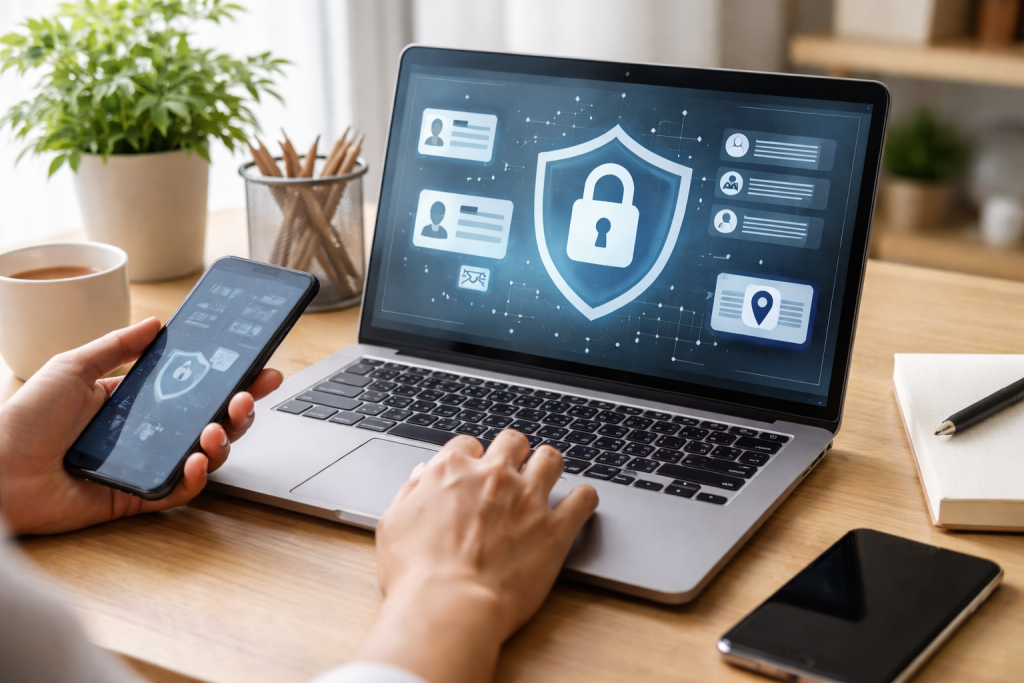
The digital frontier is a dynamic environment, and the threats to our personal information are constantly evolving. Cybercriminals are becoming more sophisticated, employing increasingly stealthy and multifaceted approaches to gain access to sensitive data. It’s crucial to have a foundational understanding of the common dangers we face to effectively protect ourselves. Staying informed about these threats is not a one-time task but an ongoing commitment to vigilance.
Contents
- 0.1 The Pervasive Nature of Data Breaches
- 0.2 The Insidious Creep of Malware and Viruses
- 0.3 The Art of Social Engineering: Exploiting Human Trust
- 0.4 Crafting the Unbreakable Guardian: The Power of Strong Passwords
- 0.5 The Art of Deception Detection: Identifying and Evading Phishing Campaigns
- 0.6 The Sanctity of Your Home Network: Securing Your Wi-Fi
- 0.7 The Perils of Public Wi-Fi: Navigating Untrusted Networks
- 0.8 The Public Face: Securing Your Social Media Profiles
- 0.9 The Concept of “Something You Know” and “Something You Have”
- 0.10 Implementing 2FA: A Simple Yet Powerful Step
- 0.11 Secure Transaction Practices
- 0.12 Monitoring Your Accounts and Identity Protection
- 0.13 Keeping Software Up-to-Date
- 0.14 The Necessity of Antivirus and Antimalware Software
- 0.15 Physical Security and Device Encryption
- 0.16 Reliable Sources of Information
- 0.17 Educational Resources and Community Support
- 1 FAQs
- 1.1 1. What are common threats to personal information online?
- 1.2 2. How can I create strong passwords to protect my online accounts?
- 1.3 3. What are some signs of a phishing attempt and how can I avoid falling for online scams?
- 1.4 4. What are best practices for using secure Wi-Fi networks?
- 1.5 5. How can I safeguard my social media profiles and online presence?
- 1.6 About the Author
The Pervasive Nature of Data Breaches
One of the most significant concerns is the persistent threat of data breaches. These incidents, where unauthorized individuals gain access to large databases of personal information, can have far-reaching consequences. A single breach can expose millions of individuals to identity theft, financial fraud, and other malicious activities. Companies, governments, and organizations of all sizes are targets, and when they are compromised, the fallout extends to their users and customers. The sheer volume of data collected and stored online makes these repositories attractive targets.
The Insidious Creep of Malware and Viruses
Beyond large-scale breaches, individual devices are also vulnerable to malicious software. Malware, a broad term encompassing viruses, worms, ransomware, and spyware, can infiltrate our computers and mobile devices through various means. Once installed, this software can silently steal information, encrypt files for ransom, track our online activities, or even grant attackers remote control over our devices. The proliferation of deceptive links, compromised software downloads, and infected email attachments makes these threats a constant concern.
The Art of Social Engineering: Exploiting Human Trust
Cybercriminals often bypass technical defenses by exploiting human psychology. Social engineering is a broad category of scams that rely on manipulation and deception to trick individuals into divulging sensitive information or performing actions that compromise their security. This can manifest in various forms, from impersonating trusted entities to creating urgent or emotionally charged scenarios designed to bypass rational thinking. Understanding these psychological tactics is a key part of staying safe.
Securing your personal information online isn’t about implementing a single solution; it’s about adopting a layered approach that combines strong technical measures with informed, cautious behavior. Just as you would secure your physical home with locks and alarms, your digital life requires a comparable level of protection. These strategies, when consistently applied, form the foundation of a secure online existence.
Crafting the Unbreakable Guardian: The Power of Strong Passwords
Passwords are the first line of defense for most of our online accounts. Yet, many individuals still rely on weak, easily guessable passwords, leaving their digital lives vulnerable. A strong password is not merely a random string of characters; it’s a carefully constructed barrier.
The Anatomy of a Secure Password
A truly secure password incorporates a combination of uppercase and lowercase letters, numbers, and symbols. It should also be lengthy, ideally at least 12 to 15 characters long. Avoid using personal information such as birthdays, names of family members, or common words and phrases. Instead, consider using a passphrase – a sentence or phrase that is memorable to you but difficult for others to guess. For example, “MyDogBarksat squirrelsOnMyFrontPorch!” is far more secure than “password123”.
The Management Dilemma: Passwords and Memory
The challenge with strong, unique passwords for every online account is remembering them all. This is where password managers become invaluable tools. These secure applications generate and store complex passwords for you, and you only need to remember one master password to access them all. This eliminates the temptation to reuse weak passwords across multiple sites.
The Art of Deception Detection: Identifying and Evading Phishing Campaigns
Phishing attempts are a particularly insidious form of social engineering designed to trick you into revealing sensitive information like usernames, passwords, or credit card details. These scams often impersonate legitimate organizations, such as banks, social media platforms, or government agencies, to gain your trust. Recognizing the tell-tale signs is your most powerful weapon against these attacks.
The Subtle Clues of Deception
Phishing emails and messages often contain grammatical errors, misspellings, or awkward phrasing – signs that a legitimate institution would typically avoid. They may also create a sense of urgency, urging you to act immediately to avoid negative consequences, such as account suspension or legal action. Be wary of requests for personal information that are unsolicited. Legitimate organizations rarely ask for your password or financial details via email. Always scrutinize the sender’s email address; it may look similar to a legitimate address but often has subtle differences.
Clicking on suspicious links or opening unexpected attachments is a common way to fall victim to phishing. Before clicking any link, hover your mouse cursor over it to see the actual URL. If it looks unusual or doesn’t match the purported sender, do not click it. Similarly, be extremely cautious about opening attachments from unknown senders or if they are unexpected.
Our internet connections are the conduits through which data flows, and their security directly impacts the safety of the information we transmit. From the router in your home to public Wi-Fi hotspots, understanding best practices for secure connectivity is essential.
The Sanctity of Your Home Network: Securing Your Wi-Fi
Your home Wi-Fi network is your personal digital gateway. Ensuring its security is fundamental to protecting all devices connected to it. A compromised home network can provide an easy entry point for cybercriminals into your devices and personal data.
Router Security Essentials
The first step is securing your router’s administration page. This typically involves changing the default username and password to something strong and unique. It’s also crucial to enable WPA3 encryption, the latest and most secure Wi-Fi protocol, if your router supports it. If not, WPA2 is the next best option. Avoid using older, less secure encryption methods like WEP.
Network Names and Guest Access
Consider changing your Wi-Fi network’s name (SSID) to something that doesn’t reveal personal information. For visitors, set up a separate guest network with its own password. This keeps your main network isolated and more secure. Regularly check the list of connected devices to ensure no unauthorized devices are present.
While convenient, public Wi-Fi networks in cafes, airports, and other public spaces pose significant security risks. These networks are often unencrypted and can be easily monitored by others on the same network, including malicious actors.
The Importance of a Virtual Shield: VPNs
A Virtual Private Network (VPN) is an essential tool for anyone who frequently uses public Wi-Fi. A VPN encrypts your internet traffic, creating a secure tunnel between your device and a remote server. This makes your data unreadable to anyone attempting to intercept it on the public network.
Mindful Usage on the Go
When using public Wi-Fi, avoid accessing sensitive information such as online banking or making financial transactions. If you must connect, ensure your device’s firewall is active and practice good personal security hygiene, such as logging out of accounts when you’re finished. Be skeptical of any Wi-Fi network that allows you to connect without a password, as these are often honeypots designed to compromise your device.
Social media has become an integral part of how we connect, share, and present ourselves to the world. However, the information we share, even seemingly innocuous details, can be exploited if not managed carefully.
The Public Face: Securing Your Social Media Profiles
Social media platforms offer a wealth of privacy settings, and it’s imperative to understand and utilize them effectively. What you deem private can, by default, be visible to a wider audience than intended.
Granular Control Over Your Content
Regularly review your privacy settings on each social media platform you use. Understand who can see your posts, your profile information, and your friend list. Limit the sharing of personal details like your full birthdate, hometown, or workplace to trusted connections. Be mindful of what you tag yourself in and what others tag you in.
The Allure of Oversharing
It’s easy to fall into the trap of oversharing on social media. While it can be tempting to share every aspect of your life, remember that this information can be gathered and used by malicious actors for identity theft or targeted scams. Consider the long-term implications of what you post. Once something is online, it can be very difficult to remove permanently.
While strong passwords are crucial, they are not infallible. Two-factor authentication (2FA) adds an extra, critical layer of security to your online accounts, significantly reducing the risk of unauthorized access.
The Concept of “Something You Know” and “Something You Have”
2FA requires you to provide two different forms of authentication to verify your identity. Typically, this involves something you know (your password) and something you have. The “something you have” can be a physical security key, a code sent to your mobile phone via SMS or a dedicated authenticator app, or even a fingerprint scan.
Implementing 2FA: A Simple Yet Powerful Step
Enabling 2FA on all your important accounts, especially those related to financial transactions, email, and social media, is one of the most effective security measures you can take. Many platforms offer this option, and it is usually straightforward to set up. The small effort required to implement 2FA provides a substantial increase in your online security.
The convenience of online banking and shopping is undeniable, but it also necessitates a heightened awareness of how to protect your financial data. The consequences of compromised financial information can be immediate and severe.
Secure Transaction Practices
When making online purchases, always ensure the website uses HTTPS, indicated by a padlock icon in your browser’s address bar. This signifies that the connection is encrypted and your data is protected during transmission. Avoid making financial transactions on public Wi-Fi networks unless you are using a VPN.
Monitoring Your Accounts and Identity Protection
Regularly review your bank and credit card statements for any unauthorized activity. Many financial institutions offer alerts for suspicious transactions. Consider using services that monitor your credit report for any signs of identity theft. If you suspect your financial information has been compromised, act immediately by contacting your financial institution.
Your smartphones, tablets, and laptops are gateways to your online life. Protecting these devices from malware and unauthorized access is as important as securing your online accounts.
Keeping Software Up-to-Date
Software updates from operating system providers and application developers often include critical security patches that fix vulnerabilities exploited by cybercriminals. Make it a habit to install these updates promptly for all your devices and applications.
The Necessity of Antivirus and Antimalware Software
Install reputable antivirus and antimalware software on your computers and mobile devices. Keep these programs updated and run regular scans to detect and remove any malicious threats. Be cautious about downloading software from untrusted sources, as these can often be bundled with malware.
Physical Security and Device Encryption
While this section focuses on cyber threats, never underestimate the importance of physical device security. Lock your devices with strong passcodes or biometric authentication. Enable device encryption, which makes your data unreadable if your device is lost or stolen.
The landscape of online threats is constantly shifting. What is considered safe today might be vulnerable tomorrow. Therefore, staying informed is not just a recommendation; it’s a continuous necessity for effective online security.
Reliable Sources of Information
Follow reputable cybersecurity news outlets, follow cybersecurity experts on social media, and subscribe to newsletters from trusted security organizations. Many government agencies also provide valuable resources and warnings about current threats. Understanding emerging threats allows you to adapt your security strategies proactively.
Educational Resources and Community Support
Online forums and communities dedicated to cybersecurity can be valuable sources of information and support. You can learn from the experiences of others and share your own knowledge. Continuous education ensures you are equipped to face the evolving challenges of the digital world.
By embracing these expert strategies, from understanding the risks to implementing robust security measures, you can significantly enhance the protection of your personal information online. Vigilance, informed choices, and a commitment to ongoing learning are your most powerful allies in navigating the digital realm securely.
FAQs
1. What are common threats to personal information online?
Common threats to personal information online include phishing attempts, malware, identity theft, data breaches, and insecure Wi-Fi networks.
2. How can I create strong passwords to protect my online accounts?
To create strong passwords, use a combination of letters (both uppercase and lowercase), numbers, and special characters. Avoid using easily guessable information such as your name, birthdate, or common words.
3. What are some signs of a phishing attempt and how can I avoid falling for online scams?
Signs of a phishing attempt include unsolicited emails asking for personal information, urgent requests for sensitive data, and suspicious links. To avoid falling for online scams, verify the sender’s identity, double-check the URL of any links, and never provide personal information unless you are certain of the recipient’s legitimacy.
4. What are best practices for using secure Wi-Fi networks?
Best practices for using secure Wi-Fi networks include using a virtual private network (VPN) when connecting to public Wi-Fi, avoiding accessing sensitive information on public networks, and ensuring that the Wi-Fi network you are connecting to is password-protected and encrypted.
To safeguard your social media profiles and online presence, use privacy settings to control who can see your information, be cautious about the information you share online, and regularly review and update your security settings.

About the Author
Maya Ali is the founder of ByteSolving with experience in technology and digital solutions. His mission is to make technology easier to understand and help people solve everyday tech problems in a simple and practical way.