
Say Goodbye to Phone Overheating with These Simple Tips
In an age where our smartphones are extensions of ourselves and perform everything from crucial communication to complex computing, their optimal functioning is paramount. One vexing issue that plagues many users is phone overheating. This isn’t merely an inconvenience; it can be a harbinger of more serious problems. Understanding why our devices heat up, appreciating the necessity of keeping them cool, and implementing effective strategies are essential for prolonged phone health and user satisfaction.
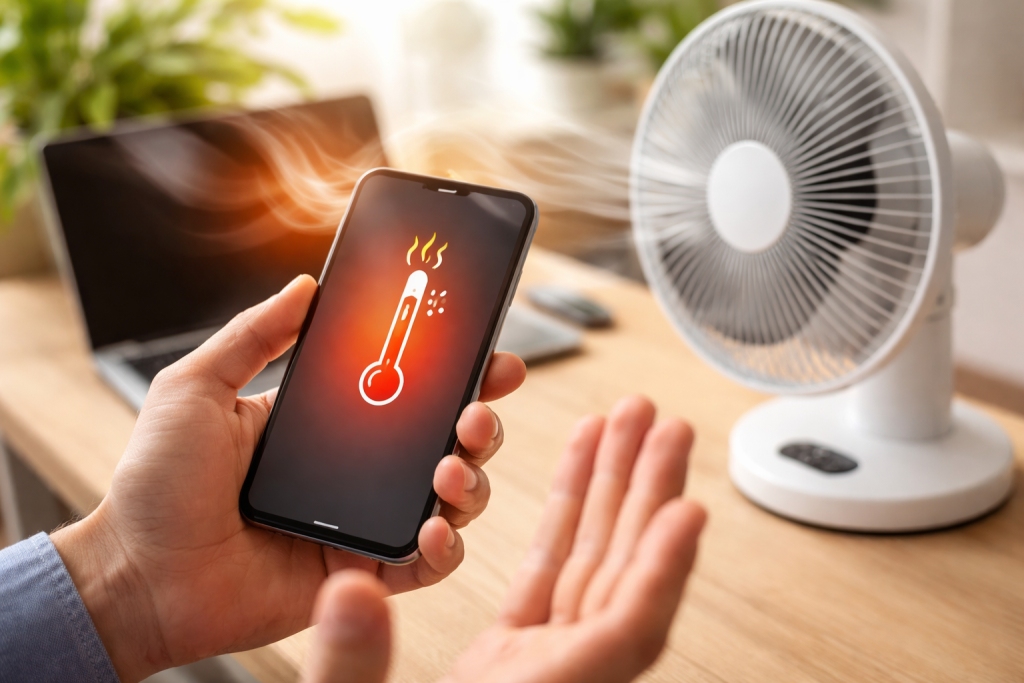
The science behind a hot phone is multifaceted, involving both hardware and software interactions. At its core, every electronic device generates heat during operation due to the resistance encountered by electrical currents flowing through its circuits. These circuits produce more heat the more intensely they operate.
Contents
- 0.1 Processor-Intensive Tasks
- 0.2 Environmental Factors
- 0.3 Software Glitches and Malware
- 0.4 Degradation of Phone Components
- 0.5 Performance Throttling and System Instability
- 0.6 Safety Concerns
- 0.7 Optimizing Charging Practices
- 0.8 Managing Connectivity and Location Services
- 0.9 Regular Software Maintenance
- 0.10 Material Matters
- 0.11 Design and Ventilation
- 0.12 Myth: Closing All Background Apps Always Keeps Your Phone Cooler
- 0.13 Myth: My Phone is Always Hot Because it’s Old
- 0.14 Myth: Putting My Phone in the Fridge Will Cool it Down Quickly
- 0.15 Investing in a Quality Phone
- 0.16 Regular Device Maintenance and Cleaning
- 1 FAQs
Processor-Intensive Tasks
One of the primary culprits is the processor. Gaming, particularly graphically demanding titles, strains the central processing unit (CPU) and graphics processing unit (GPU). Similarly, editing high-resolution videos, running complex augmented reality (AR) applications, or even having numerous background apps simultaneously active can stress the processor, leading to a significant increase in internal temperature. These tasks demand sustained high performance, which translates directly into increased power consumption and, consequently, greater heat generation.
Environmental Factors
Our phones are designed to operate within a specific temperature range. Exposing them to direct sunlight, leaving them in a hot car, or using them in a warm environment elevates their ambient temperature. When the external temperature is high, the phone’s internal cooling mechanisms, which primarily rely on dissipating heat into the ambient air, become less effective. Such conditions can lead to a vicious cycle where the phone struggles to cool itself down, causing internal temperatures to soar.
Software Glitches and Malware
Sometimes, the problem isn’t the workload itself, but how the software is managing it. A buggy application might get stuck in a loop, endlessly consuming CPU cycles in the background without performing any useful function. Similarly, malware or viruses can covertly run processes, mine cryptocurrency, or transmit data, all of which demand significant processing power and contribute to overheating. Outdated operating systems or apps can also have optimization issues that lead to inefficient resource utilization and excess heat.
Preventing your phone from overheating extends beyond just comfort; it’s crucial for its longevity, performance, and even your safety. Neglecting this issue can lead to a cascade of detrimental effects.
Degradation of Phone Components
Sustained high temperatures are detrimental to almost all electronic components. The battery, a highly sensitive part, is particularly vulnerable. Heat accelerates chemical reactions within the battery, leading to faster degradation of its capacity and overall lifespan. This means your phone will hold a charge for shorter periods and eventually require replacement sooner. High temperatures can also damage the delicate solder joints on the circuit board, leading to intermittent failures or permanent damage to components like the camera, speaker, or even the display.
Performance Throttling and System Instability
When a phone detects that its internal temperature is reaching critical levels, it employs a protective mechanism called thermal throttling. To prevent damage, the CPU and GPU will intentionally reduce their operating speed, leading to noticeable performance drops. Apps will launch slowly, animations will become choppy, and games will experience significant frame rate issues. In extreme cases, the phone might even shut down completely to prevent permanent damage, leading to potential data loss if an application wasn’t properly saved.
Safety Concerns
While less common with modern safety standards, extreme overheating can pose a fire hazard. Lithium-ion batteries, when severely compromised by heat, can swell, vent, or even ignite, potentially causing injury or property damage. Additionally, holding a scorching hot phone to your ear can be uncomfortable and, in rare instances, cause minor skin irritation or burns.
Proactive measures are key to maintaining an optimal operating temperature for your device. Integrating these simple habits into your daily phone usage can make a significant difference.
Optimizing Charging Practices
Charging your phone generates heat, especially during fast charging. It’s often advisable to remove your phone case while charging, particularly if you notice it getting warm. Avoid charging your phone under pillows or blankets, which trap heat. Using the original charger and cable is also recommended, as third-party accessories might not regulate voltage and current as effectively, potentially leading to increased heat generation. Once your phone is fully charged, disconnect it, as prolonged charging after reaching 100% can contribute to minor heat buildup.
Managing Connectivity and Location Services
Wi-Fi, Bluetooth, GPS, and cellular data all consume power and generate heat, particularly when actively searching for signals or transferring large amounts of data. When not in use, consider turning off Bluetooth and GPS. If you are in an area with poor cellular reception, your phone will work harder to find a signal, leading to increased heat. In such situations, switching to airplane mode or connecting to a stable Wi-Fi network can conserve battery and reduce heat.
Regular Software Maintenance
Keeping your operating system and all your applications updated is crucial. Software updates often include performance optimizations and bug fixes that can improve efficiency, reduce resource consumption, and thus minimize heat generation. Regularly review your installed applications and uninstall those you no longer use, especially any that seem to constantly run in the background or consume excessive battery. A good practice is also to restart your phone periodically, which can clear temporary files and background processes that might be contributing to heat.
While phone cases are essential for protecting our devices from drops and scratches, not all cases are created equal when it comes to thermal management. The material and design of a case can significantly impact how well your phone dissipates heat.
Material Matters
Cases made from materials like thick rubber, silicone, or certain hard plastics are excellent insulators. While this might be desirable for shock absorption, it can also trap heat generated by the phone, preventing it from radiating away efficiently. Conversely, cases made from thinner polycarbonate, certain advanced composites, or those with ventilation designs are better at allowing heat to escape. Metal cases, while excellent conductors of heat, can sometimes transfer that heat directly to your hand, making the phone feel hotter even if the internal components are cooling more effectively.
Design and Ventilation
A poorly designed case with minimal cutouts or vents essentially creates a thermal barrier around your phone. Cases that leave ports, buttons, and speakers exposed, or those specifically designed with micro-perforations or air channels, can facilitate better airflow and heat dissipation. There is a balance between providing maximum protection and achieving optimal cooling. For demanding tasks or extended use, it’s often advisable to remove your case, especially if you notice your phone becoming unusually warm.
Misinformation often circulates regarding phone overheating. Dispelling these myths can help users make more informed decisions about their device care.
Myth: Closing All Background Apps Always Keeps Your Phone Cooler
While it’s true that some background apps can be resource-intensive, constantly force-closing all applications can sometimes be counterproductive. Modern operating systems are designed to manage background processes efficiently. Frequently opening and closing apps can consume more CPU cycles and battery than simply letting them reside in memory, ready for instant access. Focus on identifying and closing truly misbehaving or excessively heavy background apps, rather than clearing everything indiscriminately.
Myth: My Phone is Always Hot Because it’s Old
While older phones generally have less efficient processors and batteries, age alone isn’t the sole determinant of overheating. A well-maintained older phone can stay cooler than a neglected newer one. Software bloat, accumulated cache, demanding new apps, and degraded battery health are often bigger contributors to heat in older devices than their age itself. Upgrading your phone might resolve the issue, but understanding the underlying causes is more important.
Myth: Putting My Phone in the Fridge Will Cool it Down Quickly
Never place your phone in a refrigerator or freezer. Rapid temperature changes can cause condensation to form inside the device, leading to irreparable water damage to internal components. Extreme cold can also shock the battery and other circuits. If your phone is overheating, the best course of action is to turn it off, remove the case, and let it cool down naturally in a room-temperature environment.
Beyond immediate fixes, adopting a holistic approach to phone care can provide sustained protection against overheating and ensure your device’s longevity.
Investing in a Quality Phone
The internal design and component quality of a smartphone play a significant role in its thermal management. Reputable manufacturers often employ advanced cooling solutions, such as vapor chambers, liquid cooling systems, or graphite sheets, in their flagship devices. While these phones might come at a higher price point, they are generally better equipped to handle sustained workloads without overheating. Researching thermal performance reviews before purchasing a new device can be a wise investment.
Regular Device Maintenance and Cleaning
Just like any other electronic device, phones benefit from periodic maintenance. This isn’t just about software; physical cleanliness matters. Dust and lint can accumulate in charging ports and speaker grilles, potentially obstructing airflow. While direct internal cleaning is usually best left to professionals, keeping the exterior clean and ensuring ports are free of debris can contribute to better thermal regulation. Additionally, regularly clearing caches for apps, especially browsers and social media platforms, can free up storage and reduce the phone’s internal workload. Periodically backing up data and performing a factory reset can also revitalize an aging device by eliminating accumulated software clutter, leading to smoother operation and less heat generation. By combining these practices, you can create an optimal environment for your phone to thrive, ensuring it stays cool, performs well, and lasts longer.
FAQs
What are the common causes of phone overheating?
Some common causes of phone overheating include overuse of the device, exposure to high temperatures, running multiple apps at once, and software issues.
Why is it important to prevent phone overheating?
Preventing phone overheating is important because it can lead to decreased battery life, performance issues, and potential damage to the internal components of the phone.
What are some tips for keeping your phone cool?
Some tips for keeping your phone cool include avoiding direct sunlight, removing the phone case when it gets too hot, closing unused apps, and turning off unnecessary features like Bluetooth and GPS.
How do software updates impact phone temperature?
Software updates can impact phone temperature by optimizing the device’s performance and addressing any software-related issues that may be causing the phone to overheat.
What are some common myths about phone overheating?
Some common myths about phone overheating include the belief that placing the phone in the refrigerator or freezer can cool it down (which can actually cause damage) and that using a phone case always leads to overheating (when in fact, some cases can help dissipate heat).

About the Author
Maya Ali is the founder of ByteSolving with experience in technology and digital solutions. His mission is to make technology easier to understand and help people solve everyday tech problems in a simple and practical way.